The finishing pass for your snapshot: a GHL theme customizer you drive yourself
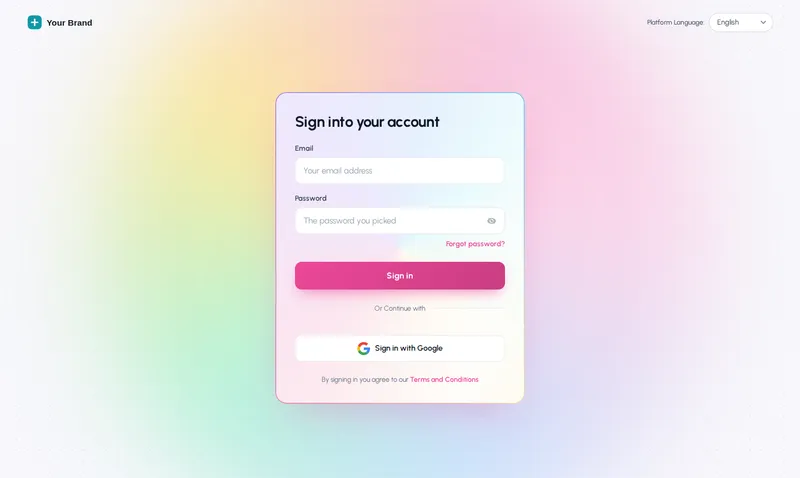
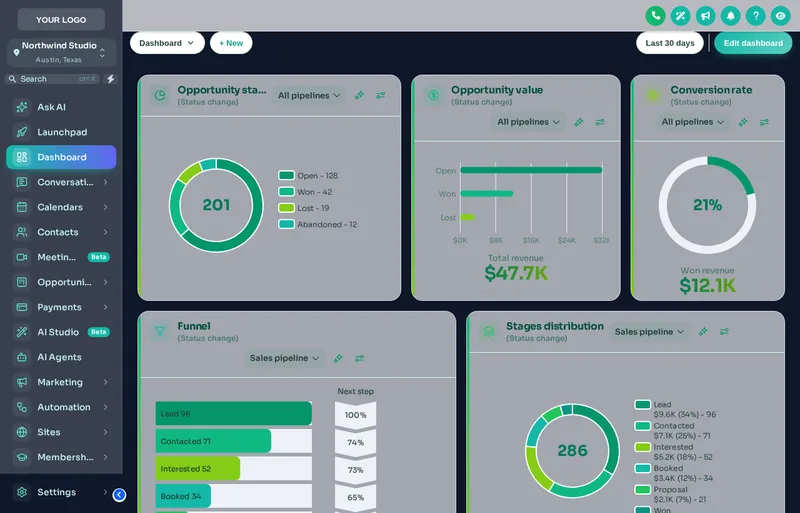
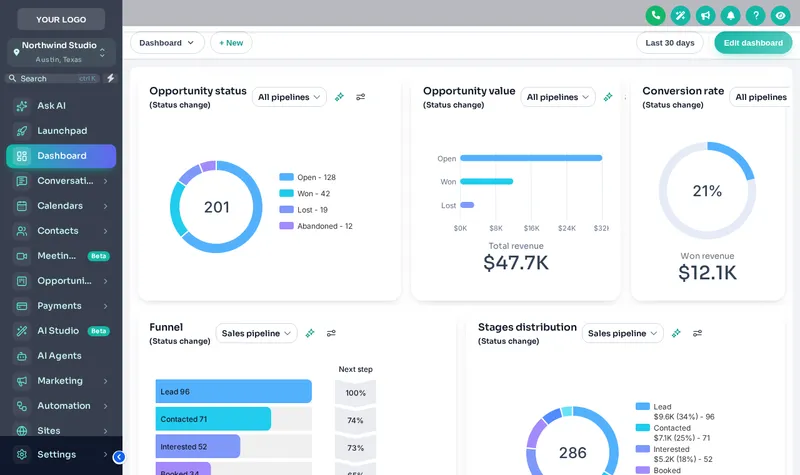
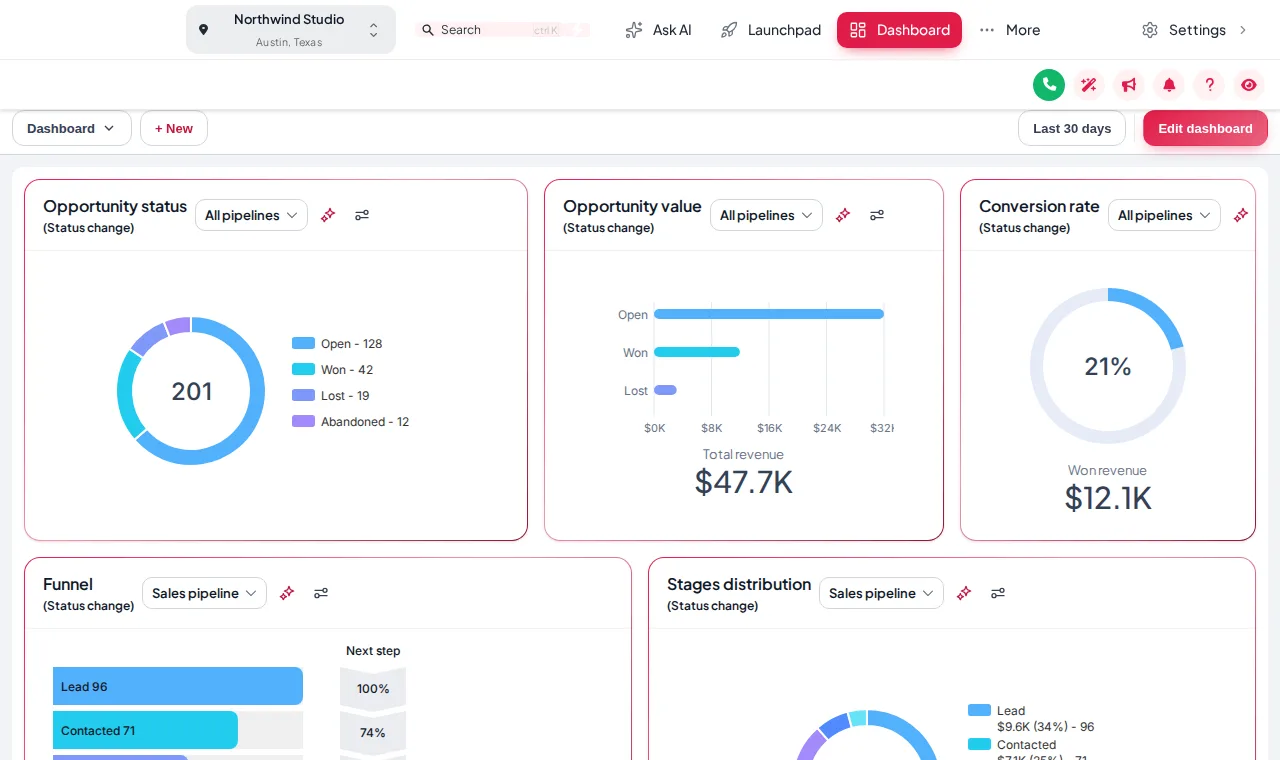
You imported the snapshot, so the work is set up. The app around it still looks like every other agency's GoHighLevel. A customizer account gives you 27 themes, 16 login page designs, dashboards, menus and widgets in a live editor, installed with one line of code.
One-time payment, lifetime accessLogin within minutes, at most 24 hours
01 Login page02 Dashboard03 Every other screen
The short answer
What does a GHL customizer account actually change?
A GHL customizer restyles the GoHighLevel app itself, not the funnels inside it. It replaces the stock sidebar, header, cards, buttons and colours with a complete theme, swaps the plain white sign-in form for an animated login page, and can redesign the dashboard and the opportunities board. Agencies use it so the platform their clients log into looks like the agency's product rather than a reseller's copy of someone else's.
GoHighLevel's own white-label settings change a logo and a couple of colours. Everything else, including the blues hard-coded across hundreds of screens, keeps giving the game away. The customizer remaps all of it from one editor, then delivers it through the Custom JS field GoHighLevel already gives agencies.
43 popups, 94 notifications, 134 calculators, 51 floating widgets (in Top Elite)
Counts come from the customizer's own catalogue. Prices last updated 2026-10-05.
Try it live
Re-skin a sample GoHighLevel sub-account right here
Pick a theme and the sample sub-account below restyles itself. This is the customizer's own engine running the same CSS your clients would get, so what you see is what installs. Switch to dark mode, or open it full screen.
Theme
Mode
app.youragency.com/v2/location/dashboardLive
Loading the live preview
Aurora The customizer engine is restyling a copy of a GoHighLevel sub-account. Click the menu, collapse the sidebar or open Save contact inside the frame.
Ten modules, one editor
Everything a GoHighLevel customizer can change, in the order clients notice it
Each module has its own page with a live preview, real counts and the questions people ask about it. The tag on each card is the first package that includes it.
A snapshot sets up the work. The customizer sets up the look.
Buying a snapshot gets a client's pipelines, workflows and funnels live in an afternoon. What it cannot do is change the app they log into every morning. That is the gap the customizer closes, and it is why it pairs so naturally with a snapshot install.
After the snapshot import
Clients sign in on the plain white GoHighLevel form
The sidebar, buttons and charts are GoHighLevel blue
Thirty menu items in GoHighLevel order, most of them irrelevant to the client
The dashboard and the pipeline board look like every other agency’s
After the customizer install
An animated login page in your colours, on sign-in, two-factor and reset
A complete theme with your logo, colour remap, UI kit and optional dark mode
A menu in your order, with your names, as a sidebar, right dock or top bar
A designed dashboard and a pipeline board with stage colours that make sense
Packages
Three accounts, one payment each, no monthly fee
Every package is the same editor with a different set of modules unlocked. Buy once and the account is yours for life. The full comparison, with workspace and team limits, is on the GHL customizer pricing page.
Tier 1
Top Starter
Re-skin every screen and the login page, once, for good.
Notifications and social proof: 94 templates, up to 15 live
Calculators: 134 templates, up to 10 live
Best for: Agencies running several brands that want conversion widgets and a fully white-labelled editor.
The process
How it works, from checkout to a re-skinned GoHighLevel
No onboarding call and no waiting on anyone's calendar. The account is created by the payment itself.
Step 1
Choose a package and pay
Pick Top Starter, Top Pro or Top Elite and check out through our secure Stripe checkout. One-time payment, lifetime access.
Step 2
Get your login by email
Your account is created automatically after payment and the login (email and a temporary password) is emailed within minutes, at most 24 hours.
Step 3
Customise in the live editor
Log in, pick a theme, login design, menus and the rest, and watch every change on a live preview before it touches GoHighLevel.
Step 4
Paste one line into GoHighLevel
Copy your line from the editor’s Get code screen into Agency Settings > Company > White Label > Custom JS. About 2 minutes, once. Every later change goes live on its own.
How agencies that buy our snapshots use it
The customizer is industry-neutral; the reasons to use it are not. These are the pairings we see make the most sense.
01
Home-services agencies (HVAC, plumbing, roofing)
Technicians and office staff live in the contacts list and the pipeline. A clean top-bar theme, a coloured board and one-tap tags for estimate booked and job won make the snapshot easier to adopt.
Front-desk teams want a calm, readable app. A light theme with a soft UI kit, a welcome dashboard and privacy mode for screen sharing suit a practice better than stock GoHighLevel blue.
Agents log in from phones between showings. A login page with the brokerage brand and a dashboard that greets them by name make the platform feel like the brokerage’s own system.
If you sell GoHighLevel under your own name, the login page and the theme are the product. Top Elite adds a white-labelled editor too, so even your customizer carries your brand.
Screens from the customizer, captured from the live previews on this site
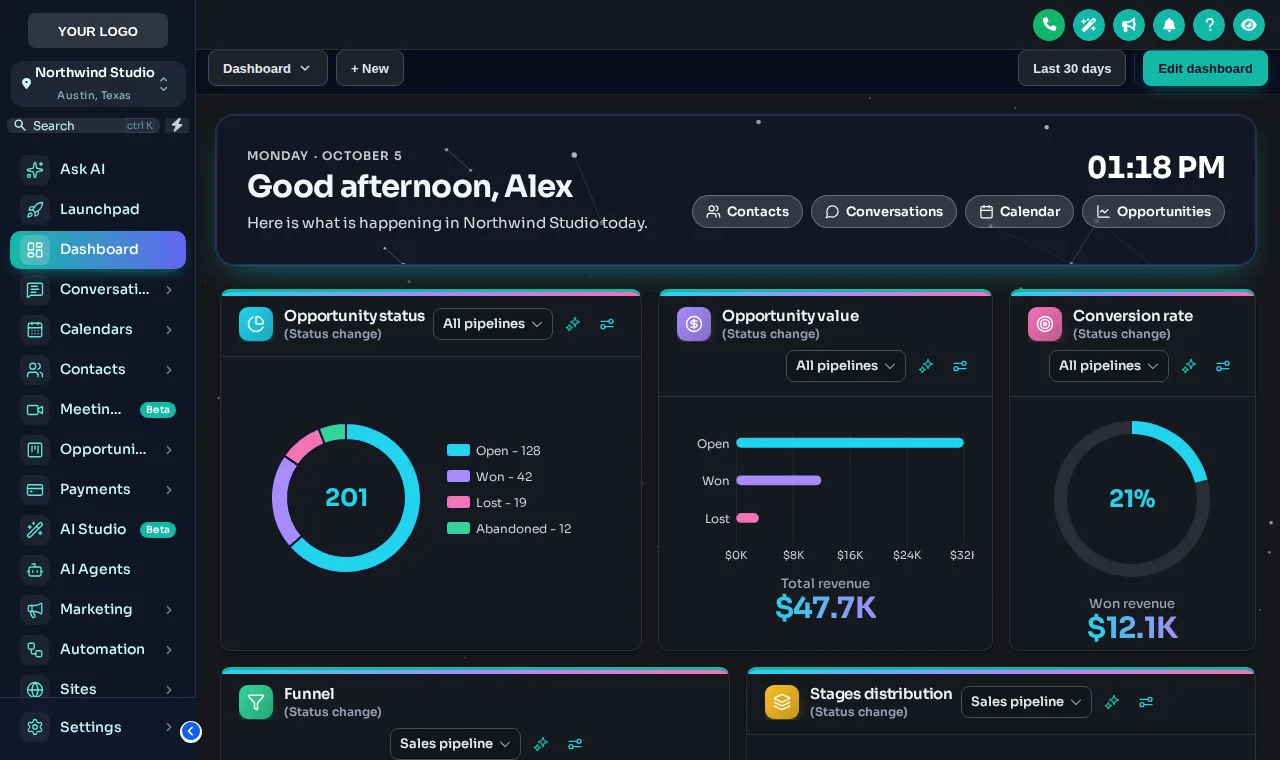
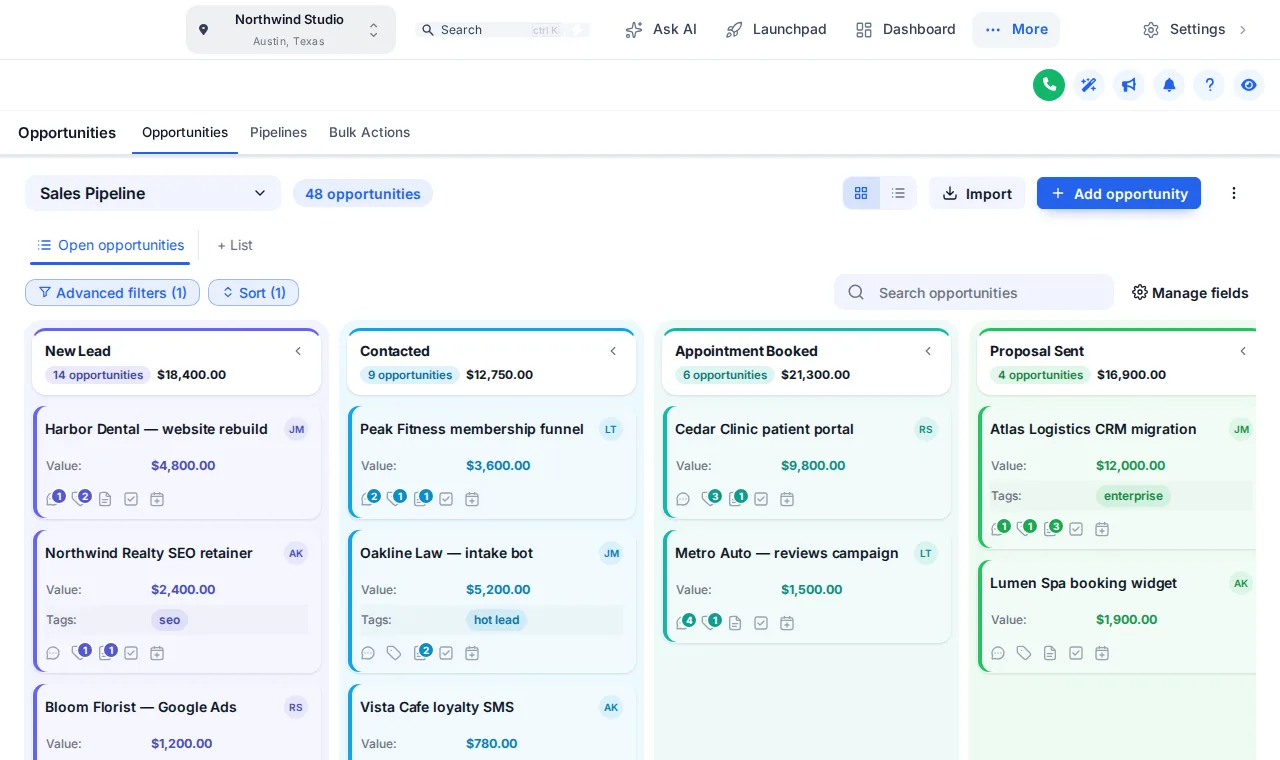
Creative Agency theme, top-bar layoutDark mode with the Accent Top UI kit and the Midnight dashboardColour Ribbon pipeline board
Screenshots of the preview engine with sample data. No client data is shown.
FAQ
What snapshot buyers ask before they buy
Not covered here? Email and a person replies.
What is the GHL theme customizer?
It is a self-serve account on the GHL Customizer platform that restyles your own GoHighLevel. You pick a theme, a login page design, menus, dashboard and pipeline designs and optional widgets in a live editor, then install the result with one line of code in GoHighLevel's white-label settings. It covers 27 themes, 11 UI kits, dark mode and 16 animated login designs, among other modules.
Do you design or install it for me?
No. This is an account, not a done-for-you service. After payment your login is emailed to you and you make every design choice yourself in the editor, with a live preview of each change. The install is a single line you paste once. If you get stuck, our support and the help docs are there, but the account is yours to drive.
How soon do I get access after paying?
Your account is created automatically when the payment completes, and the login (your email and a temporary password) is emailed within minutes, at most 24 hours. If anything stops the automatic setup, the team sets the account up by hand inside 24 hours.
Is it a subscription?
No. Each package is a one-time payment with lifetime access to that account: Top Starter $217, Top Pro $517, Top Elite $1,047. There is no monthly fee for the account itself.
Will it work with a snapshot I bought from this shop?
Yes. A snapshot fills a sub-account with funnels, workflows, pipelines and calendars. The customizer changes how the GoHighLevel app itself looks around them: the sidebar, header, cards, login page, dashboard and opportunities board. The two do not touch each other, so you can install them in either order.
What do I have to paste into GoHighLevel?
One script line in Agency Settings > Company > White Label > Custom JS, and, if you want a designed login page, one CSS import line in Agency Settings > Company > White Label > Custom CSS. The editor's Get code screen shows both lines with your own key already filled in. After that, saving in the editor updates GoHighLevel on its next page load.
Do my sub-accounts get the new look too?
Yes. The line goes in at agency level, so the agency view and every sub-account load the same design. You can change what the agency sees and what sub-accounts see separately where the editor offers a choice, such as menus.
Which package should a snapshot buyer start with?
Top Starter covers the look: every theme, UI kit, dark mode and every login design. Top Pro adds the screens clients work in all day, dashboards, pipelines, menus and the contact actions bar, which is why it is our pick for agencies installing snapshots for active clients. Top Elite adds popups, social proof, calculators and floating widgets.
Is this made by HighLevel?
No. GoHighLevel and HighLevel are trademarks of HighLevel Inc. The GHL Customizer is an independent product, and Top GHL Snapshots sells accounts for it. It works through the Custom JS and Custom CSS fields GoHighLevel provides for white-label agencies.
Can I change the design after it is installed?
As often as you like. You edit in the customizer, check the preview and save. GoHighLevel picks up the change on its next page load without you touching the code again, and version history keeps earlier designs so you can roll back.
Finish your GoHighLevel the way you finished the snapshot
One-time payment, lifetime access. Your login is emailed within minutes, at most 24 hours, and you install it with one line of code.
We do not run a discount every week, and we will not pretend otherwise. Leave your email and you will hear when we do, along with new snapshots as they land.
TopGHLSnapshots respects your privacy
We use cookies to run the site, measure traffic, and improve your experience, and you choose what's on. See our Privacy Policy.
Top GHL Snapshots only uses cookies as described above; necessary cookies keep the site working.
TopGHLSnapshots cookie preferences
Manage how we use cookies. Necessary cookies keep the site working and can't be turned off.