Done-for-you snapshot for business coaching businesses
Business Coaching GoHighLevel Snapshot
Application funnels, discovery-call qualification and programme delivery for coaches and consultants.
4.6 (27)32 sold in the last 30 days
11 people are viewing this right now
app.gohighlevel.com
$900
One-time payment. Unlimited installs. One year of free updates.
Only 8 seats left in this pricing cohort
Emailed within 24 hours of purchase
Install on unlimited sub-accounts you manage
See it working on a demo call before you buy
Secure checkout by Stripe
Delivered in 24 hours
Share link by email
Unlimited installs
Every account you manage
Free updates
For a full year after purchase
Secure checkout
Handled by Stripe
What this replaces
Coaches and consultants selling programmes, not hours.
01
Discovery calls with the wrong people
The calendar fills with people who cannot afford the programme and were never going to.
02
Proposals hang in the air
The call goes well, the offer lands, and then two weeks of silence with nothing to break it.
03
Delivery lives in a dozen tools
Client materials sit across Drive, Loom and email, and every new client needs manual assembly.
Every design version is in the box
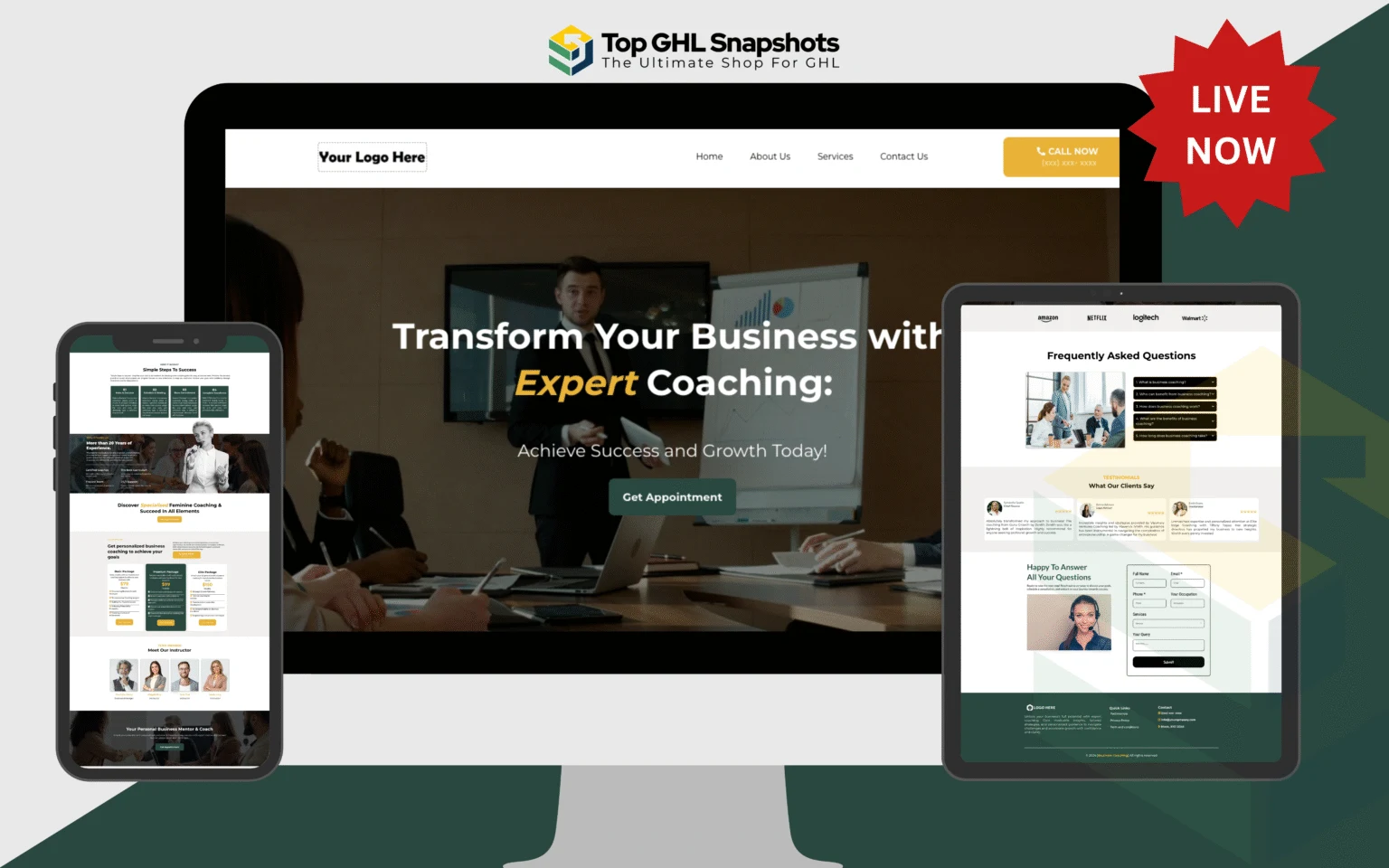
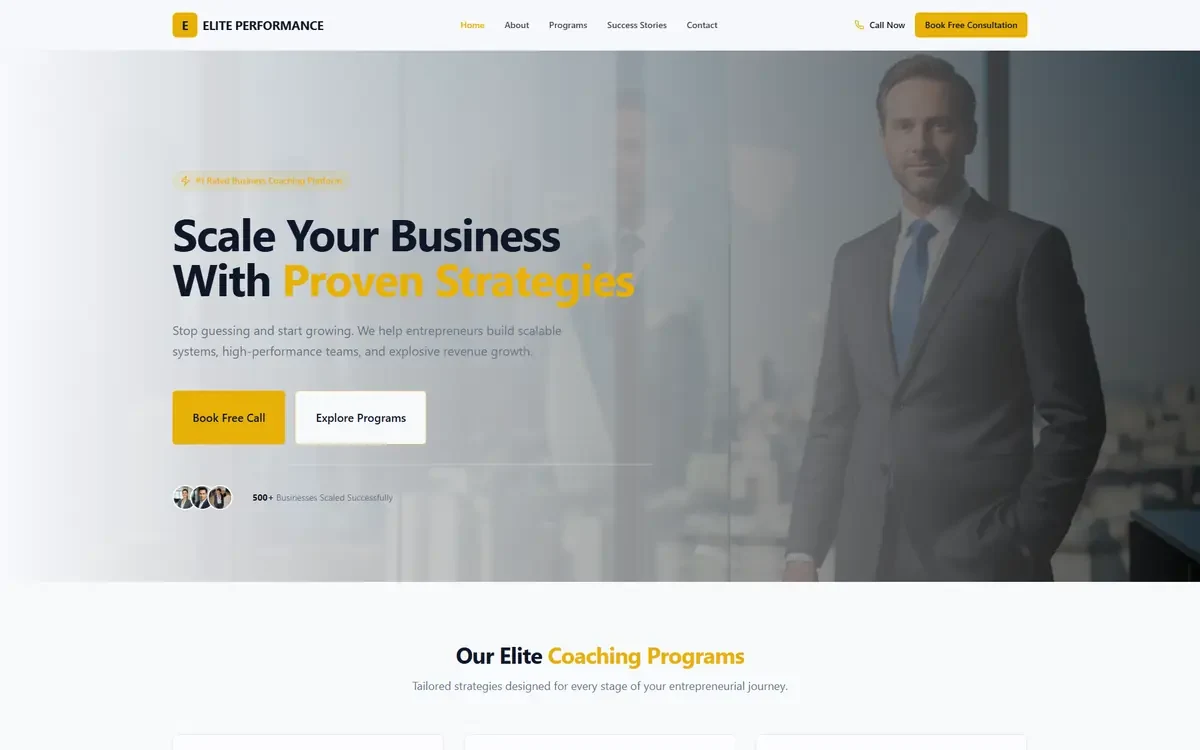
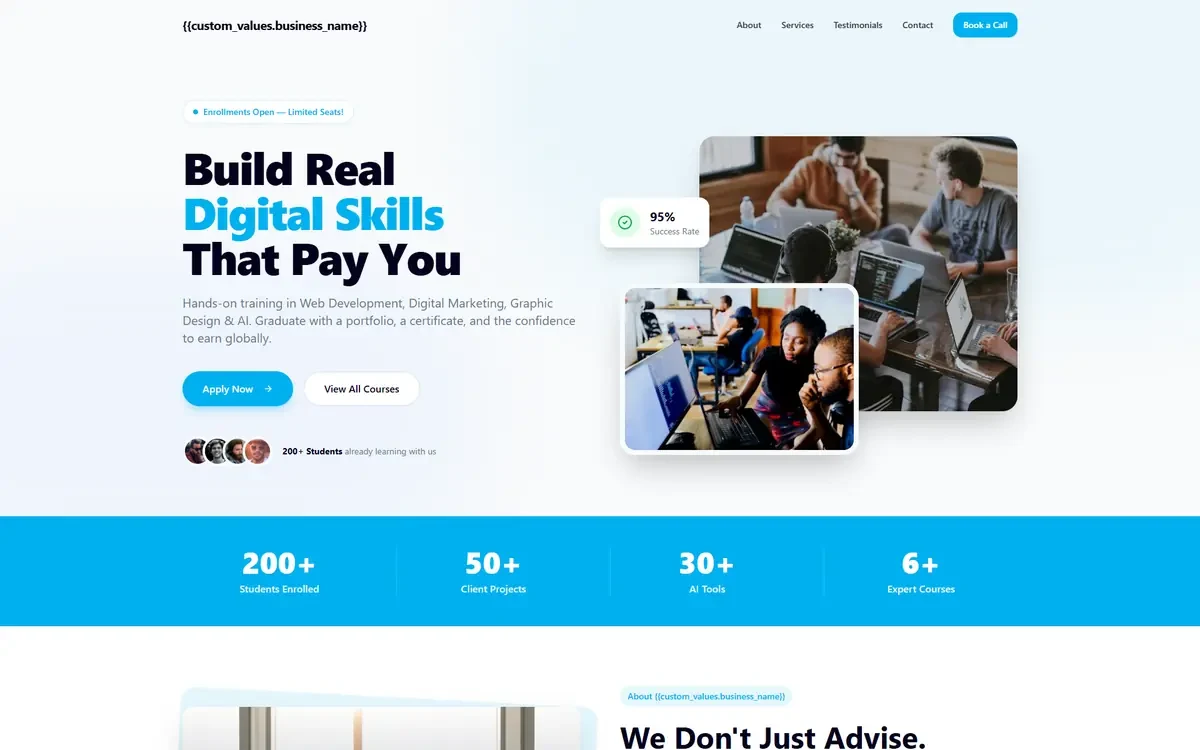
This snapshot carries 2 complete funnel designs and 2 AI Studio websites, not one layout you are stuck with. Load whichever the client picks and keep the rest for the next account.
Funnel and website designs
2 versions, all pages included
GHL AI Studio websites
Sold separately from $95. Included here at no extra cost.
Screenshots show the home page of each design at full width. Every version is responsive, and the inside pages follow the same layout language as the home page you are looking at.
Watch the Business Coaching build
A walkthrough of what you are buying, before you buy it. Nothing is sped up and nothing is a mockup: this is the build as it imports.
Here is what actually happens when a applicant finds you, once the Business Coaching snapshot is imported and switched on.
Website
Intake form
Enrolled
Auto reply
Chat widget
AI receptionist
Pipeline
Review
01
Website
The website goes live first
First the front door. A complete site with programme pages, results and applications, built the way coaches and consultants sell rather than the way a template designer imagined it.
Swap the logo, colours and business details on one settings screen and every page updates.
02
Intake form
Every enquiry arrives already answered
Every enquiry comes in qualified, because the form asks where they are now, where they want to be and what they have already tried before it will submit.
03
Enrolled
One submission, and the workflow takes over
The submit button creates the contact, applies the tags and starts the workflow. No copying into a spreadsheet, no "I will add them later", no applicant sitting in an inbox for two days.
04
Auto reply
They hear back before they close the tab
The instant reply confirms the call, sends the pre-work and blocks the slot. It fires whether you are on a job, asleep, or on holiday.
The sequence keeps going if they do not answer: follow-ups on day one, day three and day seven.
05
Chat widget
Questions get answered on the page, not in your inbox
Plenty of applicants will not fill anything in. They will type a question. The widget answers who is this for, what does the programme cost, how much time does it take from your own information, then books the discovery call in the same conversation.
06
AI receptionist
The AI receptionist answers what the phone misses
When the phone rings out, the AI answers instead. It handles an enquiry at 10 PM after a bad quarter the same way you would, and the discovery call is in the diary before you have finished what you were doing.
Any call it cannot handle fires a missed-call text back within seconds, so the thread stays open.
07
Pipeline
They become an opportunity in your pipeline
The contact becomes a card on a pipeline named the way coaches and consultants actually sell: Applied, Qualified, Call booked, Offer made, Enrolled. Each stage has its own automation attached, so moving the card does the follow-up for you.
08
Review
Enrolled closes the loop and starts the review ask
Once the card reaches Enrolled the selling stops and the asking starts. As soon as the client hits their first named milestone, the applicant gets the review request.
How that request is filtered is worth its own section, below.
Problem and fix
Which part solves which problem
Every claim below names the mechanism behind it. If a feature is not doing a job on this list, it is not in the Business Coaching snapshot.
The problem
Discovery calls with the wrong people
The calendar fills with people who cannot afford the programme and were never going to.
What removes it
AI receptionist and missed-call text back
The call is answered on the first ring, or texted back within seconds if it is not. An enquiry at 10 PM after a bad quarter stops being a lost job.
The problem
Proposals hang in the air
The call goes well, the offer lands, and then two weeks of silence with nothing to break it.
What removes it
Automated follow-up sequences
Email and SMS keep going out on day one, three and seven without you remembering. The applicant hears from you more times than a competitor bothers with.
The problem
Delivery lives in a dozen tools
Client materials sit across Drive, Loom and email, and every new client needs manual assembly.
What removes it
Booking with layered reminders
The discovery call is booked against real availability, then confirmed and reminded twice before it happens, which is what actually cuts no-shows.
The spec sheet
Eleven features, one snapshot
Every feature ships pre-built inside your GoHighLevel, tuned for coaches and consultants and installed within 24 hours.
01
AI Caller
A 24/7 AI voice agent answers the phone, qualifies new applicants and books the discovery call. Even at 10 PM after a bad quarter.
Voice AI · Live booking · Application gate
02
AI Chatbot
A website chatbot that holds a real conversation with applicants, answers the questions they always ask, and books the discovery call without you touching it.
Website chat · Self-booking · FAQ trained
03
SMS Automation
Reminders, no-show recovery, renewal and ascension offers and post-call decision sequence. Every applicant touchpoint handled over SMS.
Reminders · No-show recovery · Session reminders
04
Google Business Reply Automation
Auto-reply to Google reviews and Business Profile questions in your own tone, within minutes, around the clock.
Google Business · Auto-reply · Tone-matched
05
Instagram DM Automation
Capture Instagram DMs, qualify the applicant with AI, and route them straight into a booked discovery call.
Instagram DMs · Lead capture · Auto-book
06
Facebook Messenger Automation
Instant Messenger replies that pre-qualify new applicants and hand off to your team only when a person is genuinely needed.
Messenger · Pre-qualify · Human handoff
07
Review Harvesting Automation
Ask happy applicants for a Google review at the right moment after the session, and route anything negative to you privately first.
Google reviews · Smart timing · Negative filter
08
Appointment Automation
Online booking that respects real availability, layered reminders and one-tap rescheduling, so the discovery call calendar stays full and no-shows drop.
Online booking · Reminders · Waitlist fill
09
CRM & Workflow Automations
Applicant pipelines, a consistent tagging scheme, lifecycle flows and dozens of pre-built workflows. The brain of the snapshot.
Pipelines · Tagging · 60+ workflows
10
Prebuilt Website
A branded website built for coaches and consultants, with online booking, programme pages, results and applications. Included, not an add-on.
Branded · SEO-ready · Booking built in
11
Snapshot Automation System
The complete GoHighLevel snapshot. Every funnel, pipeline, workflow, template and AI prompt, tuned for coaches and consultants.
Full snapshot · Business Coaching-tuned · 1-yr updates
What is true once it is running
Application-gated calls
An application form screens on revenue, commitment and timeline before a slot can be booked.
Structured close sequence
Post-call follow-up addresses price, outcome and timing across a defined window.
One place for delivery
A membership area holds every module, session recording and worksheet.
Verified, with the original attached
What buyers say about the snapshots
“
I bought the real estate snapshot and it's very well done. Plus, we're going to get an update. The support team is responsive and kind.
Nazir MandjeeBought the real estate snapshot
Shoutout to the team over at GoHighLevel Shop! As a Certified Admin for GHL, I needed some solid work done for a big client of ours and needed a top of line Snapshot for them. GoHighLevel Shop Delivered! Great Job guys!
Ron SanchezCertified GoHighLevel admin
Bought a snapshot for a restaurant. It came with support. Communication has been amazing, and they're knowledgeable with custom CSS. Would recommend them
Sent in by customers describing what they bought and what they did with it.
The Mortgage Snapshot saved us from building our HighLevel account from scratch. The pipelines, workflows, follow-ups, website pages, calendars, and lead capture pieces gave us a strong starting point, and we were able to customize everything around our own mortgage process.
MTMichael TurnerMortgage broker, Texas
We needed a proper HighLevel system for our HVAC company, not another generic template. The snapshot gave us the funnels, pipeline stages, follow-up automations, appointment setup, and CRM structure we needed. It cut out a huge amount of setup work.
JMJason MillerHVAC business owner, Florida
The Real Estate Snapshot gave our team a much cleaner system for handling new leads and follow-up. Instead of trying to connect funnels, calendars, workflows, and pipelines ourselves, we started with everything already organized inside HighLevel.
ACAmanda CollinsReal estate team lead, Arizona
What I liked most was that this wasn't just a pretty funnel. We received an actual system with lead capture, appointment workflows, follow-up, pipelines, and website assets that we could adapt to the way our practice works.
RMRachel MorganDental practice manager, Georgia
Setting up HighLevel for a roofing business can become complicated very quickly. This snapshot gave us a ready-made structure and saved us countless hours of building workflows, forms, pipelines, and follow-ups one piece at a time.
DBDaniel BrooksRoofing company owner, North Carolina
The Plumbing Snapshot helped us turn HighLevel into something our team could actually use. Leads, appointments, follow-ups, and customer communication finally had a clear structure instead of being spread across different tools.
SMSarah MitchellOperations manager, Tennessee
What stands out about Top GHL Snapshots is that they understand the actual implementation side of HighLevel. Whether it's a snapshot, dashboard, funnel, or custom work, the focus is on getting something usable into the account rather than just handing over another template.
EPEthan ParkerGoHighLevel consultant, Arizona
The product gave us the starting point, but the support made the biggest difference. We were able to ask questions, adjust the setup around our own process, and get much closer to the system we actually wanted.
MCMadison CarterDigital agency owner, North Carolina
We've built plenty of HighLevel accounts manually, so I know how many hours disappear into pipelines, forms, calendars, workflows, and pages. Starting with a prepared system makes it much easier to spend that time on customization instead.
ZHZachary HallMarketing agency founder, Illinois
Review harvesting
How the review engine gets you five-star reviews
Asking for reviews by hand does not survive a busy week. The Business Coaching snapshot asks every applicant automatically, then sends them down one of two paths depending on how they rate you.
The ask fires on its own
The trigger is the client hits their first named milestone. The request leaves within minutes, which is the window where a applicant will still bother.
Or they scan the QR code
The same link sits behind a QR code you can put in the milestone email and the community post. Scanning it opens exactly the same form.
They tap one star rating
A star rating is the entire first screen, so almost nobody abandons it. What they tap sends them down one of two very different routes.
The rating decides what happens next
Five stars: straight to the public platforms
Tap five and there is nothing else to fill in. They pick a platform, the review box is already open, and the review is live in under a minute.
Google Business Profile
Facebook
Trustpilot
or any platform you add
Ends up public
Four stars or fewer: a private feedback form
Four or below and the public platforms never appear. They get a feedback box, it lands on their contact record, and you get a notification the same minute.
What went wrong, in their words
Which stage of the session it happened at
Whether they want a call back
Logged on the contact record, not on the internet
Stays private, lands on your desk
More five-star reviews reach Google, and the four-star complaints reach you first. That is the entire point of the gate.
Everything wired and working on import
Application funnel
A qualifying application that must be completed before the discovery calendar becomes available.
Discovery call flow
Pre-call preparation, reminders and a post-call decision sequence with a defined deadline.
Programme delivery portal
A membership area with modules, drip release and progress tracking.
Session scheduling
Recurring one-to-one and group calendars with automatic reminders and rescheduling rules.
Testimonial capture
Milestone-triggered requests for written and video testimonials while the result is fresh.
Renewal and ascension
Programme completion triggers a renewal or next-tier conversation rather than an ending.
Payback
How many applicants pay for this?
One question decides whether this is worth buying: how many applicants does it need to bring back. Type your value of one enrolled client and find out.
$
At $3,000 per enrolled client, the Business Coaching snapshot pays for itself after
1enrolled client
+0
One-time price $900. Everything after that is yours.
Illustrative arithmetic using the figure you enter. It is not a forecast, a guarantee or a claim about typical results.
What the AI receptionist gives you back
The phone stops interrupting the work
The AI receptionist takes the call, asks what you would ask, and books it. You are not stopping mid-session to answer who is this for.
Nights and weekends stop being dead time
An enquiry at 10 PM after a bad quarter gets answered at full attention. That is the window most coaches and consultants lose entirely.
Nobody retypes anything
Form to contact record to pipeline to review request, with no manual entry anywhere in the chain.
Follow-up happens whether you remember or not
The sequences run on their own. Most applicants that go cold do so because nobody followed up a third time.
What ships in the box
Complete GoHighLevel sub-account builds. Funnels, sites, pipelines, calendars and automations in one import.
Delivery
Share link by email within 24 hours
Format
Native GoHighLevel snapshot
Installs
Unlimited sub-accounts you own or manage
Updates
Free for one year after purchase
Requires
A GoHighLevel agency account
Support
Email support on installation
Multi-page website and funnels
A full site plus the campaign funnels the industry actually converts on, all mobile responsive.
Automation workflows
Lead capture, nurture, reminders, review requests and reactivation, wired and ready to publish.
Pipelines and stages
Opportunity pipelines named for how this industry sells, with automation attached at each stage.
Calendars
Booking calendars configured with realistic durations, buffers and availability rules.
Forms and surveys
Qualifying intake forms that branch by enquiry type and feed the right pipeline.
Email and SMS templates
Every message in every sequence written for the industry, not filled with placeholder text.
Custom values
One settings screen drives business name, contact details, links and branding across every asset.
Triggers and tags
A consistent tagging scheme so segmentation and reporting work from day one.
Gated
Discovery calendar only unlocks after a completed application
Drip
Programme modules released on schedule with progress tracking
2 offers
Renewal and next-tier ascension paths at programme completion
Build it yourself, or import it today
Building it yourself
Business Coaching Snapshot
Time to a working build
3 to 6 weeks of evenings
Same day
Copywriting for the industry
Written from scratch or borrowed
Included and industry-specific
Automation logic
Designed and debugged yourself
Built and tested
Ongoing updates
Your own maintenance
Free for a year
Reuse across clients
Rebuild or clone manually
Unlimited installs
Done for you
Done for you, then 20 hours of support
The snapshot is not the end of it. You get 20 hours of hands-on customisation, usable across the 15 days that start once your snapshot is delivered.
Checkout completes and the snapshot share link is emailed to you within 24 hours. Check your promotions and spam folders as well as your inbox.
2
Load it into your sub-account
Open the link while logged into your agency account and choose the sub-account to load it into. HighLevel handles the import.
3
Swap the custom values
One settings screen holds business name, phone, address, booking link and brand colours. Every asset reads from it.
4
Connect your channels
Attach your phone number, email sending domain, calendar and payment processor. The automations are already wired to use them.
5
Turn the automations on
Workflows ship paused so nothing fires before you are ready. Publish them once you have tested with your own details.
Questions before you buy
Something not covered here? Email us and a person will answer.
Can I run group and one-to-one programmes?
Yes. Each programme has its own application, calendar, membership area and delivery cadence.
Does it replace Kajabi or Teachable?
For most coaches, yes. HighLevel's membership product hosts the modules, and this build wires the funnels and automations around it.
How does the application gate work?
The booking calendar is only reachable from the application thank-you page, and the link is tied to a submission, so unqualified prospects cannot bypass it.
How does the Business Coaching snapshot turn a website visitor into a booked discovery call?
In five steps, all automatic. The prebuilt site captures the applicant on an intake form that asks where they are now, where they want to be and what they have already tried. Submitting it creates the contact, tags it and starts the workflow. An email and SMS go out in seconds that confirms the call, sends the pre-work and blocks the slot. Anyone who will not fill a form gets the AI chat widget or the AI receptionist instead. The contact then sits in a pipeline running Applied, Qualified, Call booked, Offer made, Enrolled, with automation attached to each stage.
How does the review system get more five-star reviews?
It asks every applicant automatically as soon as the client hits their first named milestone, by SMS and email, and via a QR code you can put in the milestone email and the community post. The rating they tap decides the path: five stars opens Google, Facebook or Trustpilot with the review box ready, while four or fewer opens a private feedback form that saves to the contact record and alerts you instead.
What does the AI receptionist do that an answerphone does not?
It answers. An enquiry at 10 PM after a bad quarter is picked up on the first ring, asked the qualifying questions you would ask, and booked straight into the calendar. Anything it cannot handle triggers a missed-call text back within seconds, so the conversation is still open when you get to it.
How quickly does the snapshot pay for itself?
That is arithmetic rather than a promise: divide the one-time price by your value of one enrolled client. The calculator on this page does it with your own figure. Because the price is one-time and installs are unlimited, everything past that number of enrolled clients is margin.
What exactly is a GoHighLevel snapshot?
A snapshot is HighLevel's native way of packaging a whole sub-account configuration. It captures funnels, websites, workflows, pipelines, calendars, forms, triggers and custom values as one transferable object. Loading a snapshot recreates that entire setup inside your own sub-account in a single step.
How do I install it?
You receive a share link. Open it while logged into your agency account, pick the sub-account to load it into, and HighLevel imports everything. Then swap the custom values for your own details.
Will it overwrite my existing sub-account?
Loading a snapshot adds its assets alongside what is already there. It does not delete your existing funnels or workflows, though duplicate names can appear. Load into a fresh sub-account first if you want a clean look.
Can I use it on more than one client account?
Yes. Your licence covers unlimited installs across sub-accounts you own or manage, inside your own agency account. What it does not permit is reselling or redistributing the snapshot itself as a product to other agencies. If that is what you want to do, a reseller license covers it for $1,350 per snapshot.
Do I need a specific HighLevel plan?
Any agency plan works. Some features such as automated SaaS provisioning need the SaaS Pro tier, and those are flagged on the products that use them.
What if something does not work after import?
Email support with your sub-account ID. Most import issues come from a missing phone number, an unverified sending domain or a payment processor that has not been connected yet.
Start your GoHighLevel account through our link and we will take 15% off any snapshot you buy. Email us the account you signed up with and we apply it to your order.
We earn a commission if you sign up through that link, at no extra cost to you. Full disclosure.
Business Coaching Snapshot
Snapshot
$900
Picked up where you left off
Popular searches
Before you go
Want first word on our discounts?
We do not run a discount every week, and we will not pretend otherwise. Leave your email and you will hear when we do, along with new snapshots as they land.
TopGHLSnapshots respects your privacy
We use cookies to run the site, measure traffic, and improve your experience, and you choose what's on. See our Privacy Policy.
Top GHL Snapshots only uses cookies as described above; necessary cookies keep the site working.
TopGHLSnapshots cookie preferences
Manage how we use cookies. Necessary cookies keep the site working and can't be turned off.