



GoHighLevel White Label: What You Can Rebrand and How to Set It Up
How white labelling works in GoHighLevel: the domain, the desktop app, the mobile app and the emails. What is genuinely rebrandable and what still says HighLevel.
Key takeaways
- White labelling covers the login domain, the interface, system emails and, on Agency Pro, the mobile app.
- Unlimited at $297 covers domain and desktop; the branded mobile app requires Agency Pro at $497.
- Set the white label domain up before any client logs in for the first time.
- Some support documentation and integration screens still reference HighLevel.
- SSL is provisioned automatically once DNS points correctly.
Contents
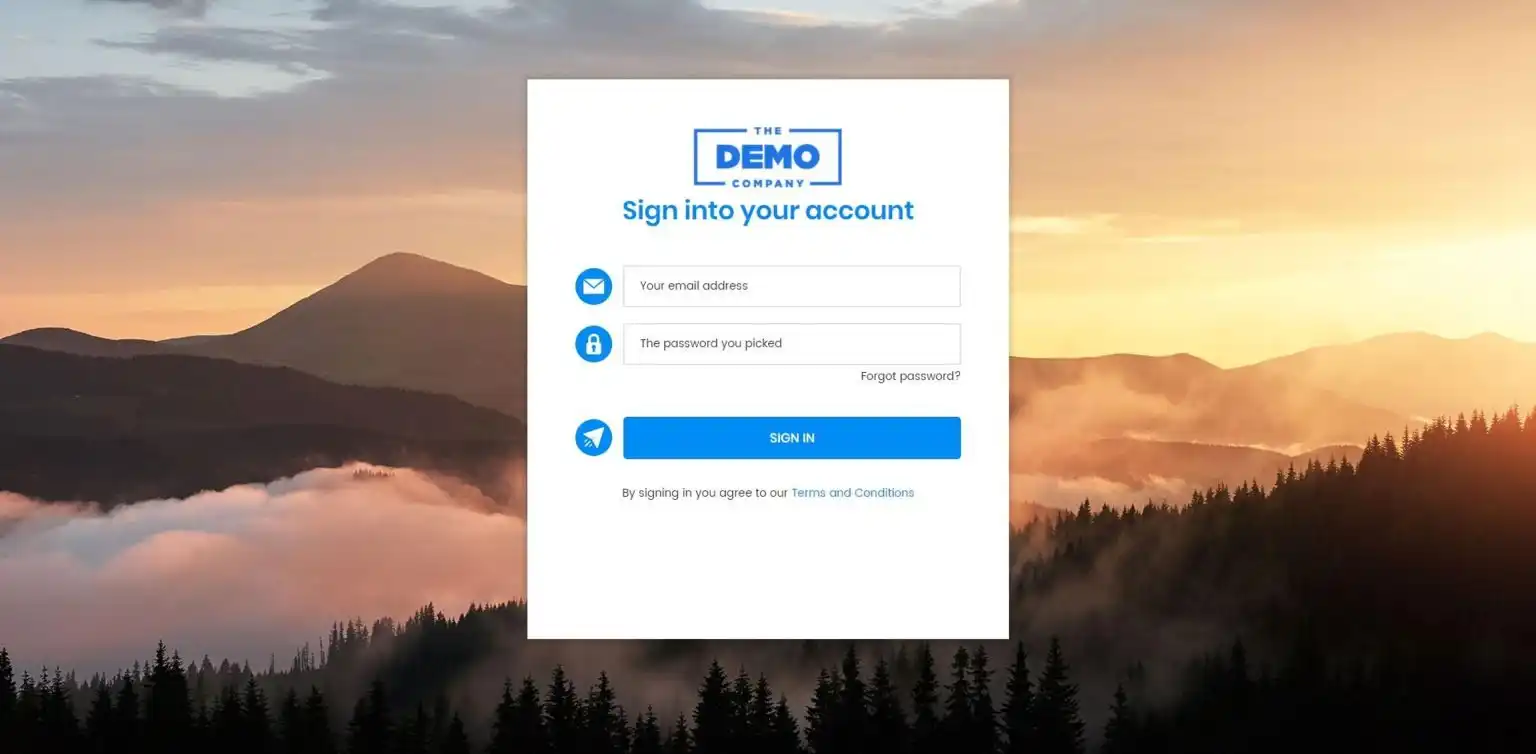
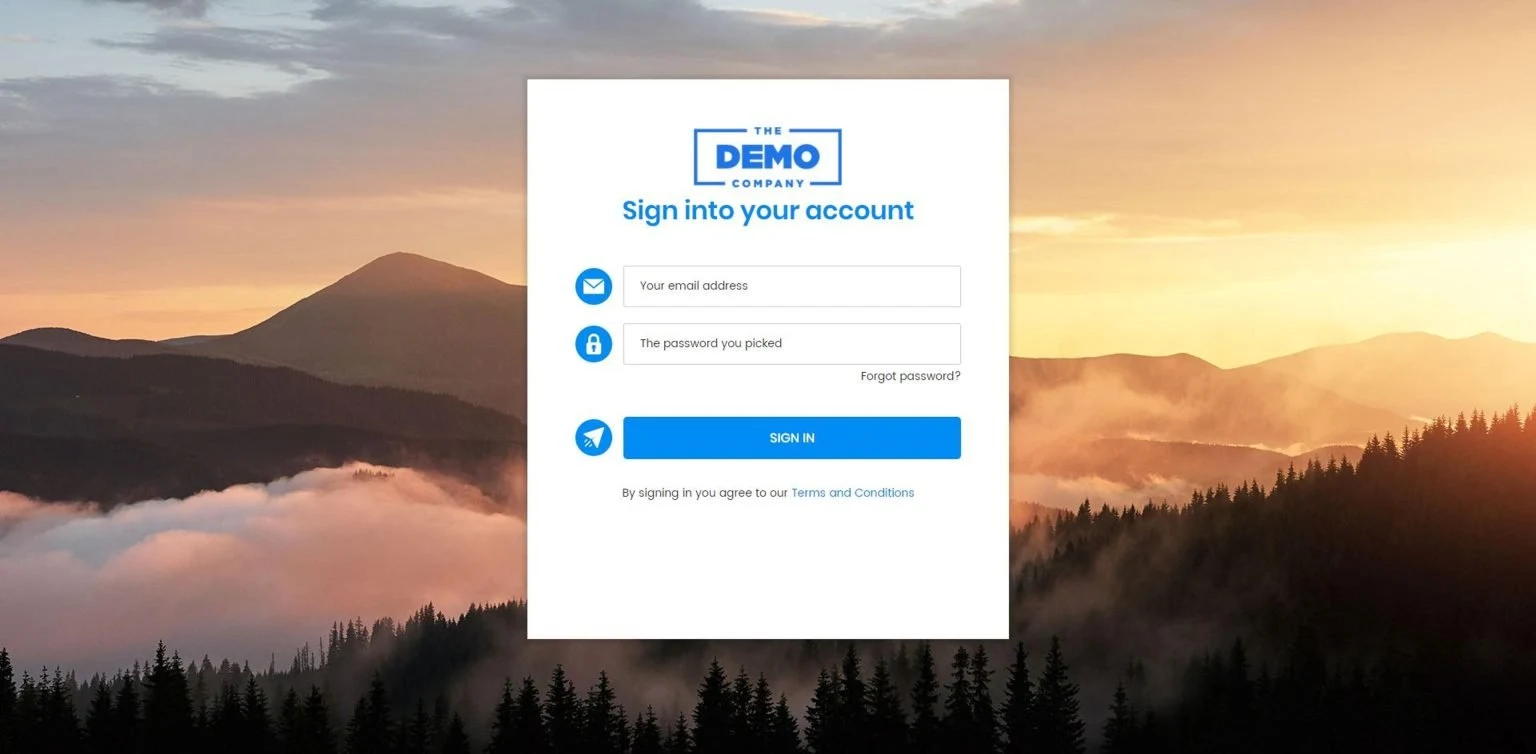
White labelling turns GoHighLevel into your agency's software. Clients log in at your domain, see your logo and your colours, receive system emails from your address, and on the top tier install an app carrying your name from the app store.
For an agency this is not cosmetic. A client logging into someone else's clearly branded software understands they are paying you to operate a tool. A client logging into yours understands they are paying for your platform. Those are different conversations at renewal time.
What white labelling covers
| Element | Rebrandable | Plan required |
|---|---|---|
| Login domain | Yes, e.g. app.youragency.com | Unlimited |
| Logo and favicon | Yes | Unlimited |
| Interface colours | Yes | Unlimited |
| System email sender | Yes | Unlimited |
| Login and password reset emails | Yes | Unlimited |
| Dashboard styling | Yes, via custom code | Unlimited |
| Mobile app name and icon | Yes | Agency Pro |
| Client-facing funnel and site domains | Yes, per sub-account | Any |
What still says HighLevel
Worth knowing before you promise a client something you cannot deliver.
- Help documentation. Deep help links inside the interface point to HighLevel's own help centre. Agencies that care about this maintain their own knowledge base and route clients there instead.
- Some integration screens. Third-party OAuth flows, particularly around Google, Facebook and payment providers, occasionally display HighLevel or LeadConnector during the connection process.
- Phone system references. LeadConnector appears in some telephony contexts and in the standard mobile app if you have not built a branded one.
- Support conversations. If a client contacts HighLevel support directly they will find out immediately. Make it clear that support runs through you.
White labelling is a brand experience, not a secret. A curious client can discover the underlying platform. The point is that in normal daily use they are working inside your product, not someone else's. Treat it that way and it holds up; treat it as concealment and it eventually embarrasses you.
Which plan you need
Domain and desktop white labelling is part of the Unlimited plan at $297 a month. That covers what most agencies mean by white labelling: clients logging into your branded interface at your domain.
The branded mobile app, published under your own name in the Apple and Google app stores, is part of Agency Pro at $497. If your clients live on their phones, which is true for most trades, that is a meaningful difference. If they mainly use desktop, it is $2,400 a year for something they will rarely see.
Setting up the domain
- Choose a subdomain. Something like
app.youragency.comorcrm.youragency.com. Use a subdomain rather than your root domain, which should stay pointed at your marketing site. - Add the CNAME record. In your DNS provider, point the subdomain at the target HighLevel specifies in agency settings.
- Enter the domain in HighLevel. Agency Settings, then the white label section. HighLevel verifies the record and provisions an SSL certificate automatically.
- Wait for propagation. Usually minutes, occasionally up to 48 hours. Do not troubleshoot for the first hour.
- Upload branding. Logo, favicon and interface colours. Use a logo that works on a light background at small sizes, because it renders in the navigation bar.
- Set the email sender. System emails such as password resets should come from your domain, not a HighLevel address. This is the detail agencies most often forget.
- Test with a real login. Create a test user and log in through the white label domain in a private window. Check the browser tab, the login screen, the reset email and the interface.
Do this before the first client logs in. Changing the login domain afterwards means every client re-learns the URL, and password reset links pointing at the old domain will confuse people for months.
The mobile app
On Agency Pro you can publish a branded mobile app under your own name. It is not instant: app store submission involves review by Apple and Google, and rejections happen for reasons that have nothing to do with HighLevel, such as missing privacy policy links or screenshots that do not match the described functionality.
Budget several weeks and prepare the assets properly: an icon that reads at small sizes, screenshots showing real functionality, a privacy policy URL and a support URL that both resolve. The submission process is the same as for any app, which means the usual app store rules apply.
Getting the details right
The difference between white labelling that convinces and white labelling that does not is in a handful of small things.
- Restyle the dashboard. The default HighLevel dashboard is instantly recognisable to anyone who has seen it before. A custom dashboard is the single highest-impact change to how owned the platform feels.
- Send system emails from your domain. A password reset from a HighLevel address undoes the whole exercise in one message.
- Write your own onboarding. Linking clients to HighLevel's help centre tells them exactly what they are using.
- Name things in your language. Rename pipelines, stages and custom fields to match how your clients talk about their business rather than leaving platform defaults.
- Use your own support channel. Clients should contact you, not HighLevel. Say so in onboarding.
Make the dashboard look like yours too
Four custom dashboard themes that replace the default HighLevel view, applied once at agency level so every client sub-account inherits it.
See the dashboardsQuick answers
Frequently asked questions
What does GoHighLevel white label actually include?
A custom login domain such as app.youragency.com, your logo and colours throughout the interface, your sender identity on system emails, and a branded mobile app on the Agency Pro tier. Clients log in, work all day and never see the HighLevel name in the interface.
Which plan do I need for white labelling?
The Unlimited plan at $297 a month covers domain and desktop white labelling. The branded mobile app under your own name in the app stores is part of the Agency Pro tier at $497.
Can clients still tell it is GoHighLevel?
A determined client can find out. Support documentation, some deep help links and certain third-party integration screens still reference HighLevel or LeadConnector. In normal daily use it is not visible, but white labelling is not a secret, it is a brand experience.
How long does white label setup take?
The configuration is 20 minutes. DNS propagation for your custom domain can take up to 48 hours, though it is usually far quicker. The branded mobile app involves an app store review process and takes considerably longer.
Do I need my own SSL certificate?
No. HighLevel provisions and renews the certificate for your white label domain automatically once DNS is pointed correctly.
Sources
Where this leaves you
Skip the build. Import a working GoHighLevel account instead.
Everything above is buildable by hand, and most people never finish. A snapshot is the same setup already made: funnels, pipelines, calendars, the prebuilt website and the automations, written for one industry and wired together before it reaches you.
- Delivered within 24 hours by email
- Install on unlimited sub-accounts you manage
- 20 hours of setup help across 15 days
Mentioned in this article
Keep reading
All articles
Benefits of White Label SaaS in 2025
The way agencies grow in 2025 looks very different from just a few years ago. Instead of selling only services,
September 1, 20255 min read
Rebilling, Reselling, and Wallets in GoHighLevel
If you’re running your agency on GoHighLevel, you’ve probably seen little deductions labeled “wallet” or heard about features like rebilling
June 5, 20254 min read


How to Set Up GoHighLevel SaaS Mode: The 2026 Walkthrough
SaaS Mode turns GoHighLevel into software you sell. Setting up plans, rebilling, automated provisioning and the wallet, plus the mistakes that cost margin.
May 30, 20247 min read