



Native WhatsApp Voice Notes with Transcriptions in GoHighLevel
WhatsApp conversations work best when they feel natural. With GoHighLevel’s latest enhancement, outbound WhatsApp voice notes sent from the Conversations
Contents
- Key takeaways
- What changed with WhatsApp voice notes in GoHighLevel
- Why native WhatsApp voice notes matter for businesses
- How native WhatsApp voice notes work in GoHighLevel
- How customers enable WhatsApp voice transcriptions
- Practical use cases for native WhatsApp voice notes
- Pricing and cost breakdown
- Conclusion
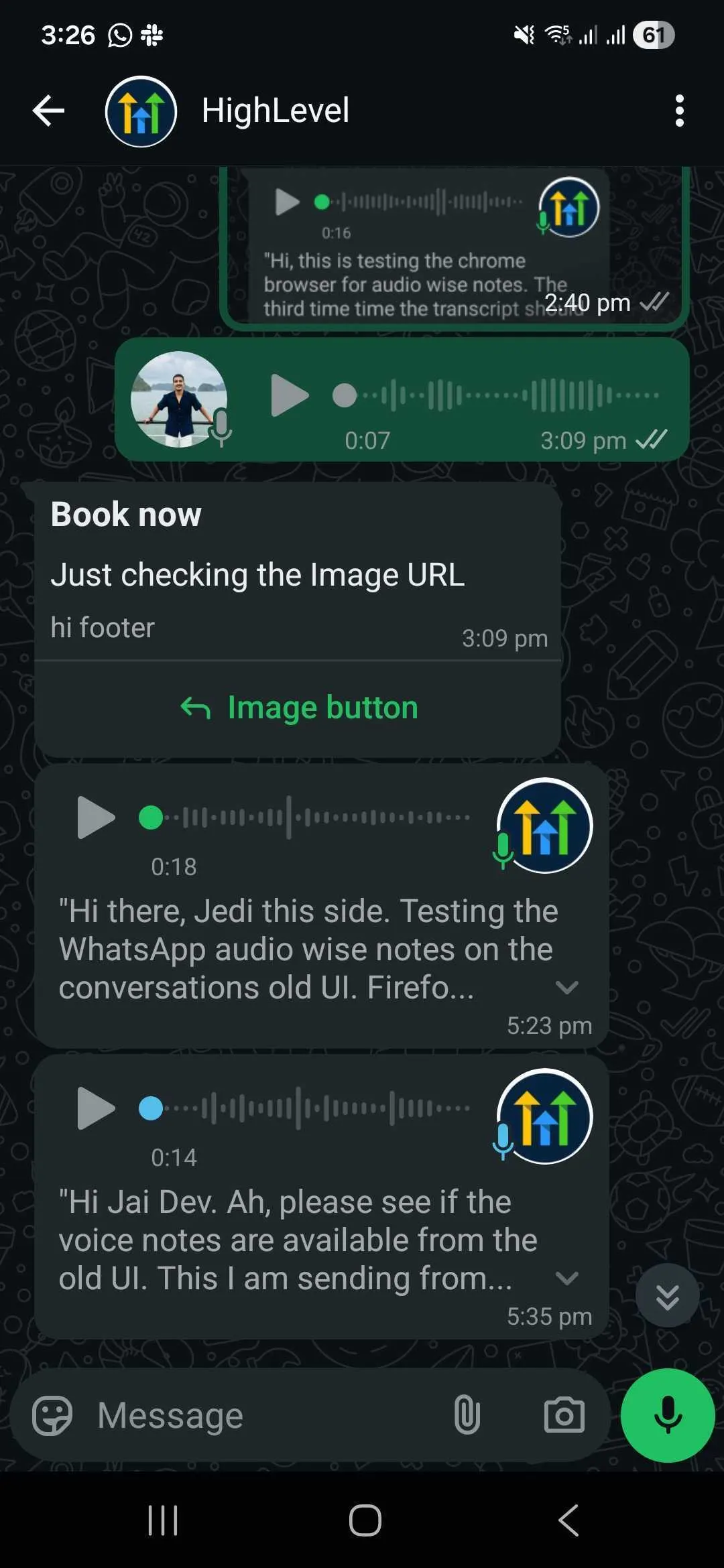
WhatsApp conversations work best when they feel natural. With GoHighLevel’s latest enhancement, outbound WhatsApp voice notes sent from the Conversations UI are now delivered as native WhatsApp voice messages, complete with instant playback and optional transcriptions.
This update removes friction, improves accessibility, and helps businesses communicate in a more personal, human way without changing how teams work inside GoHighLevel.
Key takeaways
- Voice notes are delivered as native WhatsApp messages, not downloadable attachments
- Messages play instantly inside WhatsApp with no extra steps
- Customers can read voice note transcriptions when enabled in WhatsApp
- No setup or configuration required in GoHighLevel
- Higher engagement and clearer communication for SMBs
What changed with WhatsApp voice notes in GoHighLevel
Previously, WhatsApp voice notes sent from GoHighLevel arrived as audio attachments. Customers had to download the file before listening, which often slowed conversations and reduced engagement.
Now, GoHighLevel sends voice notes in WhatsApp’s native voice note format, creating a seamless experience that matches how people already use WhatsApp every day.
What’s different now:
- Inline playback directly in the chat
- Familiar WhatsApp voice message UI
- Support for WhatsApp’s built-in transcription feature
Why native WhatsApp voice notes matter for businesses
Faster engagement with less friction
When a voice message plays instantly, customers are more likely to listen—or quickly scan the transcript. Fewer steps mean faster responses and better conversations.
Improved accessibility for customers
Not everyone can listen to audio at all times. Transcriptions allow customers to read messages instead, making communication more inclusive and convenient.
Clearer communication in real-world situations
Voice transcripts are especially helpful when customers are:
- In noisy environments
- At work or in meetings
- Unable to use headphones
More personal conversations at scale
Voice notes feel warmer than text but don’t interrupt like phone calls. Businesses can stay human while still operating efficiently.
How native WhatsApp voice notes work in GoHighLevel
Everything works automatically behind the scenes.
- Outbound WhatsApp voice notes are sent in OGG format
- OGG is fully compatible with WhatsApp’s native voice messages
- WhatsApp handles inline playback and transcription display
- No settings or toggles are required inside GoHighLevel
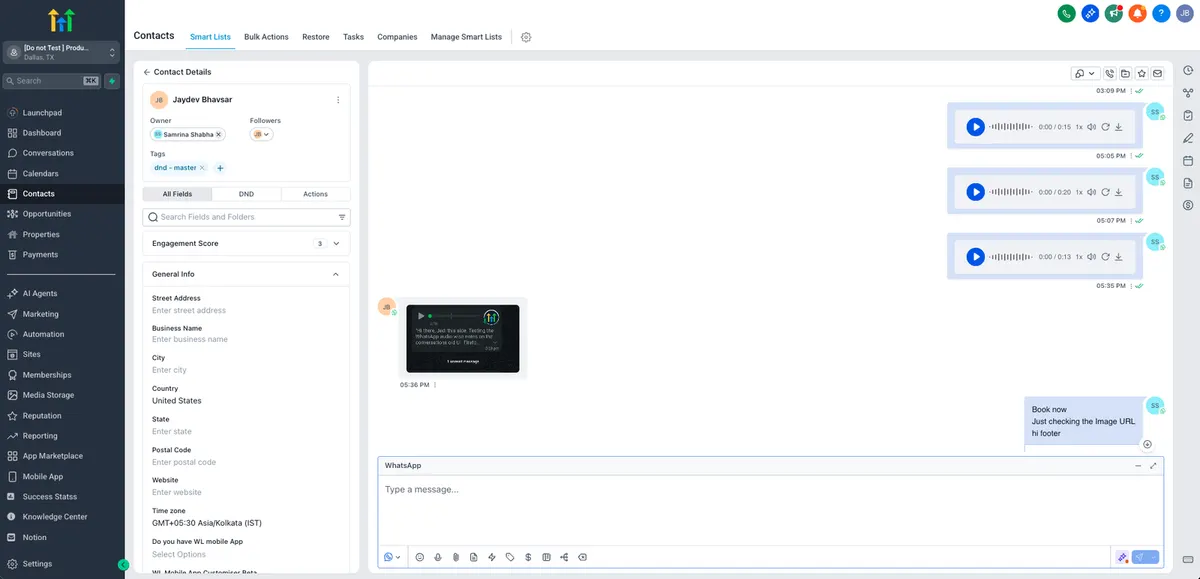
As soon as you send a voice note from the Conversations UI, it’s delivered as a native WhatsApp voice message.
How customers enable WhatsApp voice transcriptions
Voice transcriptions are controlled entirely by the end customer’s WhatsApp settings.
Steps for customers to enable transcriptions:
- Open WhatsApp on a mobile device
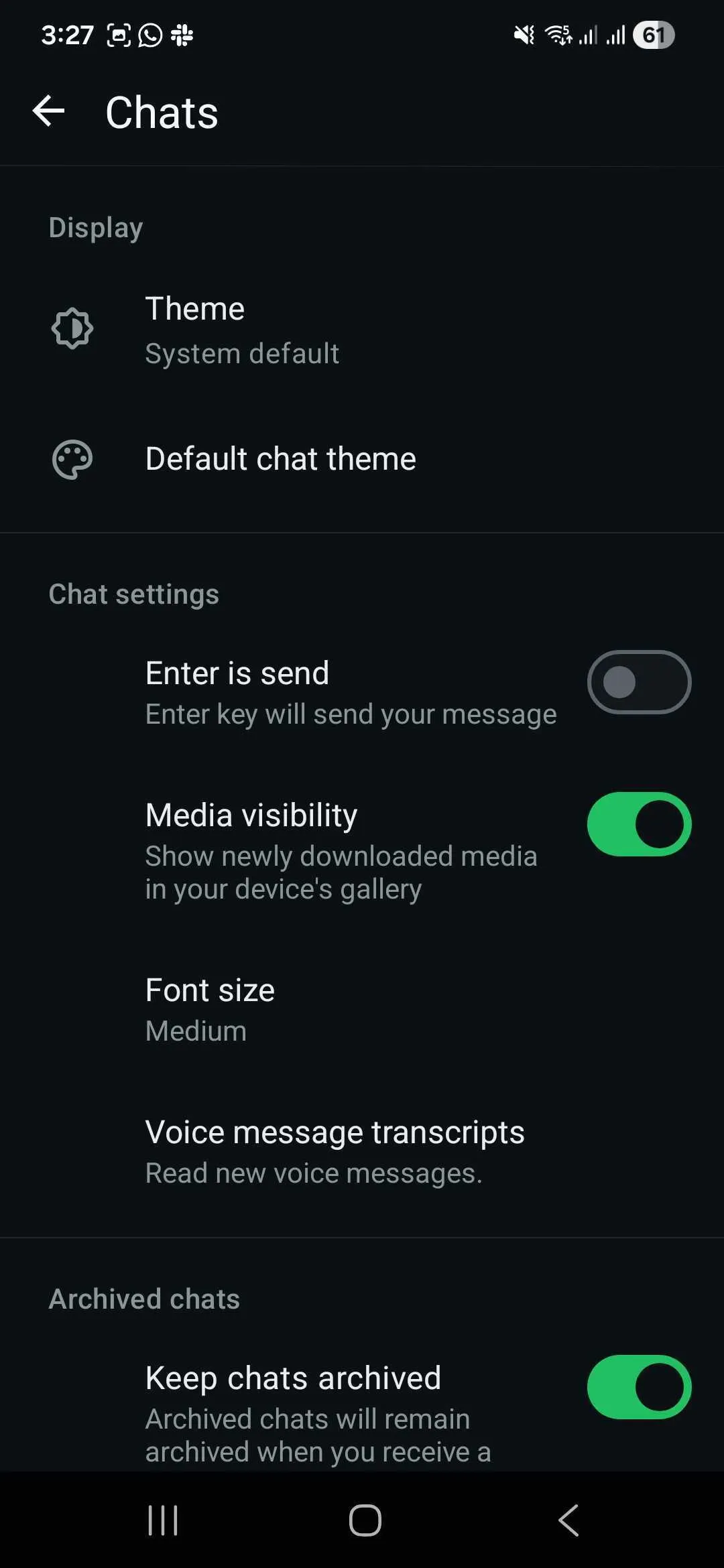
- Go to Settings and then Chats
- Tap Voice message transcripts
- Select Manually to transcribe when needed
- Choose a preferred transcript language
- Return to the chat and tap Transcribe on a voice note
If this setting is turned off or set to Never, transcripts will not appear.
Practical use cases for native WhatsApp voice notes
Native voice notes with transcriptions are ideal for:
- Appointment confirmations and reminders
- Follow-ups after missed calls
- Explaining next steps or instructions
- Customer support responses that need clarity
- Sales conversations where tone matters
Customers can listen when it’s convenient or read the transcript when they’re busy.
Pricing and cost breakdown
There is no additional GoHighLevel fee for native WhatsApp voice notes or transcriptions.
Here’s how pricing works:
- WhatsApp voice notes are billed according to your existing WhatsApp messaging rates
- There is no extra charge from GoHighLevel for native voice delivery
- Voice transcriptions are a WhatsApp feature, enabled by the end user
- No separate transcription or audio processing fees apply
Your current WhatsApp messaging costs remain unchanged.
Conclusion
Native WhatsApp voice notes with transcriptions bring GoHighLevel conversations closer to how people naturally communicate. By removing friction, improving accessibility, and keeping conversations human, this update helps SMBs connect faster and more effectively with their customers.
Quick answers
Frequently asked questions
Do I need to enable anything in GoHighLevel?
No. Native WhatsApp voice notes work automatically for all outbound voice notes sent from the Conversations UI.
Will all customers see voice transcriptions?
Only customers who have voice message transcripts enabled in their WhatsApp settings will see the Transcribe option.
Are voice notes still downloadable?
WhatsApp may allow downloads, but by default voice notes play inline like native messages.
Does this work on both iOS and Android?
Yes. Native playback and transcription follow WhatsApp’s supported behavior on both platforms.
Can this feature be turned off?
No. Native voice notes are now the default to ensure the best WhatsApp experience.
Where this leaves you
Skip the build. Import a working GoHighLevel account instead.
Everything above is buildable by hand, and most people never finish. A snapshot is the same setup already made: funnels, pipelines, calendars, the prebuilt website and the automations, written for one industry and wired together before it reaches you.
- Delivered within 24 hours by email
- Install on unlimited sub-accounts you manage
- 20 hours of setup help across 15 days
Keep reading
All articles
Pre-Built A2P Campaign Widget-First Registration flow
If you’ve ever struggled with A2P 10DLC registration, you know how confusing and rejection-prone the process can be. One small
March 13, 20265 min read
Voice Dictation in AI Builder & Assistant
Build Powerful Workflows Just by Speaking Imagine building a complete automation without typing a single word. No clicking through triggers.
February 27, 20264 min read
Conversation AI Auto Follow-Up
The Smart Way to Re-Engage Leads Without Manual Work Leads don’t always ghost you on purpose. Sometimes they get busy.
February 20, 20264 min read