Home page built to convert
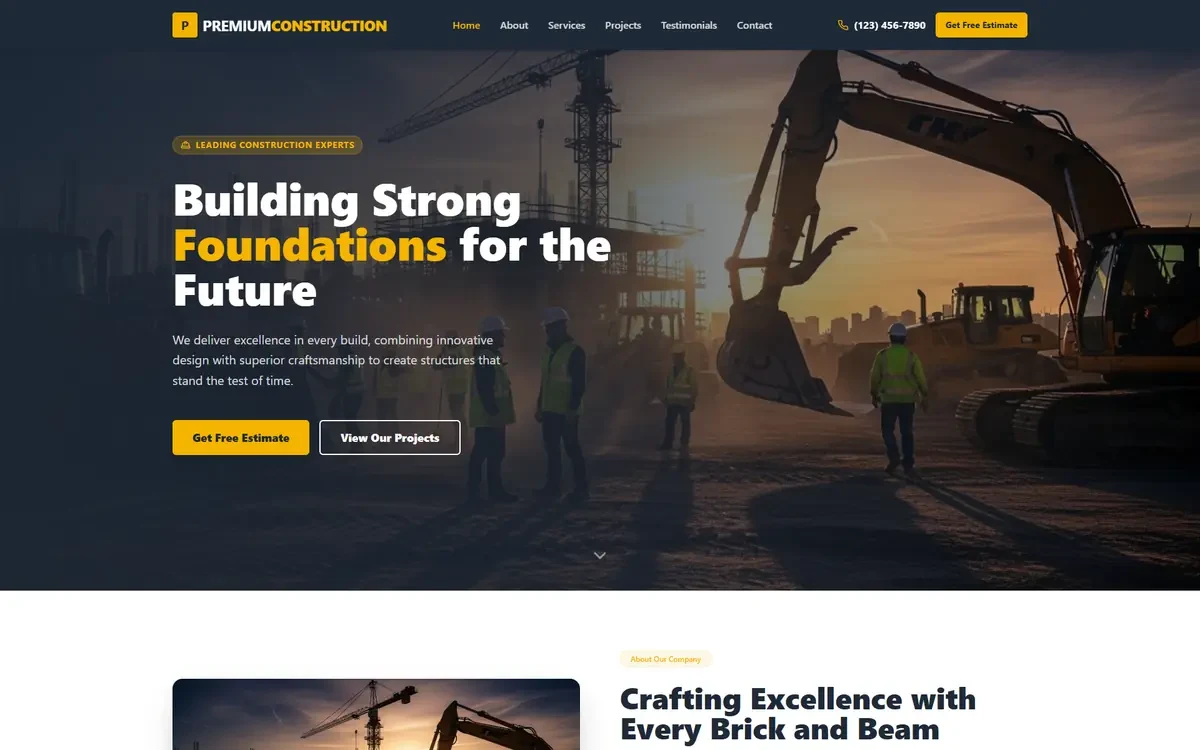
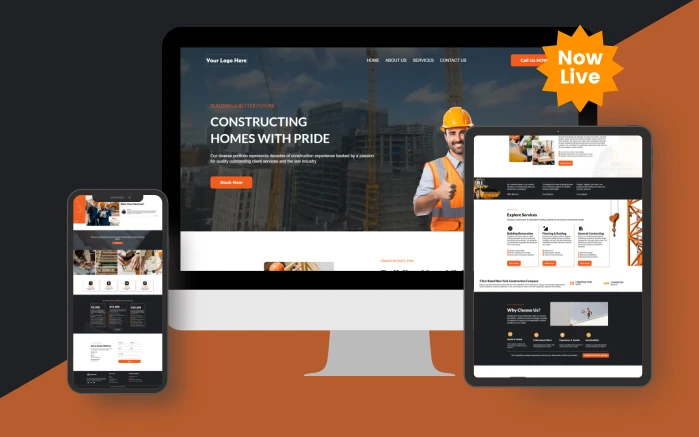
A hero that says what you do and where you do it, the proof a client looks for, your services, and a clear route to the site visit. Not a slideshow.
Done-for-you funnel for construction businesses
Project enquiry qualification, estimate follow-up and build-stage updates for contractors.
6 people are viewing this right now
One-time payment. Unlimited installs. One year of free updates.
Only 5 seats left in this pricing cohort
Delivered in 24 hours
Share link by email
Unlimited installs
Every account you manage
Free updates
For a full year after purchase
Secure checkout
Handled by Stripe
Builders and remodellers with long sales cycles and high project values.
The design is dated, the copy is generic, and you already know it. What you do not have is three weeks to fix it.
You can pick a template in an hour. Writing the home page, the about page and every service description takes weeks, and it is the part nobody enjoys.
Pulling images from a search engine is how businesses end up with an invoice from an image licensing agency two years later. Doing it properly means a stock subscription you now have to keep paying for.
Most templates ship one contact form for the whole site, so a serious enquiry and a time-waster arrive looking identical.
Buying this funnel gets you every version of it, not just the one in the header image. The AI Studio website ships with the Construction snapshot rather than with the funnel.
2 versions, all pages included
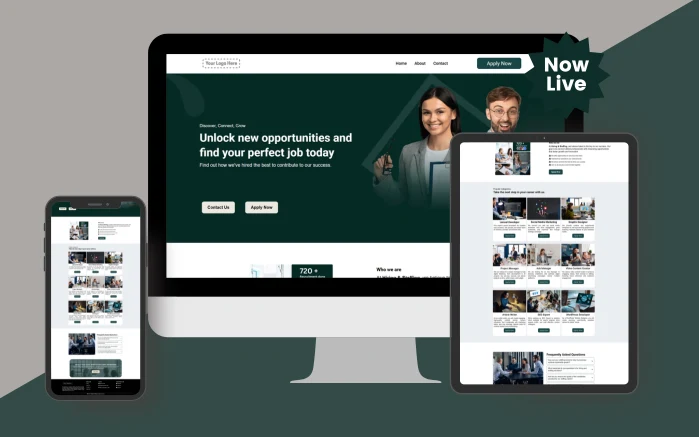
Screenshots show the home page of each design at full width. Every version is responsive, and the inside pages follow the same layout language as the home page you are looking at.
A hero that says what you do and where you do it, the proof a client looks for, your services, and a clear route to the site visit. Not a slideshow.
The page people visit right before they contact you. Written to answer "can I trust these people with this", with room for your team, your credentials and your area.
Each service described properly, in the words a client would use to search for it, with its own call to action rather than one shared contact link at the bottom.
Forms that ask the scope, the budget range and whether drawings exist yet, so an enquiry arrives with enough detail to price. Submissions land as contacts in your GoHighLevel account.
Every image is cleared for commercial use by whoever buys the funnel. Swap in your own photography whenever you have it, but you are safe to publish on day one.
Business name, phone, email, address, social links and brand colours live in custom values. Fill them in once and every page across the funnel updates.
Prebuilt GoHighLevel funnel and website pages with the copy already written, licensed images in place and forms ready to capture. Pages only, no automation.
Home, about, services, contact and the supporting pages the industry expects, built in the native funnel builder and responsive at phone, tablet and desktop.
Headlines, body copy, service descriptions, button labels and form labels are written for the industry. You are editing real copy, not filling in lorem ipsum.
Every photo and graphic on the pages is cleared for commercial use in your business. Nothing needs replacing for licensing reasons, and no attribution is required.
Contact, quote-request and enquiry forms are built and placed on the right pages, with the fields the industry actually needs rather than a generic name-and-email box.
Business name, phone, email, address, links and brand colours live in custom values. Change them once and every page updates.
Each page is laid out for the phone first and checked at three widths, because most of this traffic will never see a desktop.
Home, about, services and contact, plus the supporting pages builders and remodellers are expected to have. Import it, change the branding, publish.
The copy is written for builders and remodellers and speaks to a client, not to a marketing department. Edit the tone if you want to; you are not starting from an empty box.
Every photo and graphic is cleared for commercial use in your business and in client accounts you manage. No subscription, no attribution, no risk.
Verified, with the original attached
I bought the real estate snapshot and it's very well done. Plus, we're going to get an update. The support team is responsive and kind.
 Nazir MandjeeBought the real estate snapshot
Shoutout to the team over at GoHighLevel Shop! As a Certified Admin for GHL, I needed some solid work done for a big client of ours and needed a top of line Snapshot for them. GoHighLevel Shop Delivered! Great Job guys!
Ron SanchezCertified GoHighLevel admin
Bought a snapshot for a restaurant. It came with support. Communication has been amazing, and they're knowledgeable with custom CSS. Would recommend them
Darren SkeatsBought the restaurant snapshot
Customer stories
Sent in by customers describing what they bought and what they did with it.
| Building it yourself | Construction Funnel | |
|---|---|---|
| Design and build time | 2 to 4 weeks | Same day |
| Industry copywriting | Hired, or written yourself at 2am | Written for every page |
| Image licensing | A stock subscription, or legal risk | Commercial licence included |
| Forms | Built and placed by hand | Prebuilt and placed |
| Mobile testing | Your responsibility | Checked at three widths |
| Automation | Yours to build | Not included, buy the snapshot |
Pages only
What this contains: the site, the copy, the images and the forms. No workflows, sequences or AI agents ship with a funnel
24 hours
From payment to the share link landing in your inbox
Unlimited
Sub-accounts you can install it on, for your own business or for Builders and remodellers you manage
Done for you
The snapshot is not the end of it. You get 20 hours of hands-on customisation, usable across the 15 days that start once your snapshot is delivered.
No developer, no export files and no waiting on a build queue.
Have us install itCheckout completes and the funnel share link is emailed to you within 24 hours. Check your promotions and spam folders as well as your inbox.
Open the link while logged into GoHighLevel and choose the sub-account to load it into. The pages, images and forms import together.
One settings screen holds business name, phone, email, address and brand colours. Fill it in once and every page picks it up.
Drop in your own photography, adjust the copy to your voice, and add or remove sections. Everything is editable in the native builder.
Add your domain in the GoHighLevel domain settings, assign it to the funnel and publish. Forms start capturing into your contacts immediately.
No. Job costing, scheduling and subcontractor management stay there. This handles lead qualification, estimate follow-up and client communication.
The estimate pipeline supports long tender cycles with scheduled touches, though tender documents stay in your own systems.
Update frequency is configured per stage, and most contractors set it to one scheduled update per phase.
No, and we would rather say so plainly than let you find out after buying. A funnel product is the front end only: the pages, the written copy, the licensed images and the forms. It contains no workflows, no nurture sequences, no review automation, no SMS or email campaigns and no AI agents. If you want the automation engine as well, buy the snapshot for your industry instead, which contains all of it plus the pages.
A complete multi-page website inside GoHighLevel: home, about, services, contact and the supporting pages for that industry. Every page arrives with the copy already written, images that are licensed for commercial use, and working forms placed where they belong. You change the branding and the business details, and it is ready to publish.
A funnel is the pages. A snapshot is the whole operating system: the same kind of pages plus pipelines, calendars, tagging, the AI receptionist, the chat widget, review harvesting and the full workflow library. Buy the funnel if you already have your automation set up and just need a site that converts. Buy the snapshot if you want the follow-up handled too.
They capture. A submission creates the contact in your GoHighLevel account with the fields the form collected, so nothing is lost. What they do not do is trigger a sequence, because no sequences ship with a funnel product. Connecting a form to your own workflow takes a couple of minutes in GoHighLevel, and we will walk you through it in your support window.
Yes. Every image on the pages is cleared for commercial use by the person who buys the funnel, in their own business and in client accounts they manage. You do not need to credit anyone, buy a stock subscription, or swap images out before you launch. You can of course replace them with your own photography, and for a local service business we would recommend it.
Yes, all of it. Everything lands in the native GoHighLevel funnel builder, so every section, colour, image and line of copy is editable with no code. Add pages, delete pages, reorder sections.
Yes. Point your domain at the sub-account in the GoHighLevel domain settings and the funnel serves from it.
Yes. Install it on any sub-account you own or manage, with no limit on the number, inside your own agency account. What you cannot do is resell or redistribute the funnel itself as a template to other agencies, unless you buy a reseller license for it.
Start your GoHighLevel account through our link and we will take 15% off any snapshot you buy. Email us the account you signed up with and we apply it to your order.
We earn a commission if you sign up through that link, at no extra cost to you. Full disclosure.
Construction Funnel
Funnel
Popular searches
Before you go
We do not run a discount every week, and we will not pretend otherwise. Leave your email and you will hear when we do, along with new snapshots as they land.
Manage how we use cookies. Necessary cookies keep the site working and can't be turned off.
Saved on this device. Press Esc to close.