



GoHighLevel Training for Success
A Practical Guide to Mastering Your All-in-One CRM Let’s be honest — GoHighLevel can feel like a beast when you
Contents
A Practical Guide to Mastering Your All-in-One CRM
Let’s be honest — GoHighLevel can feel like a beast when you first log in. But beneath that dashboard is a powerful, profit-driving machine that can run your entire business… once you know how to use it.
This guide is your shortcut. No fluff. Just the essential GoHighLevel training tips and tools you need to get up and running like a pro — whether you’re building an agency, running a local biz, or reselling SaaS accounts under your own brand.
Key Takeaways
✅ Understand the GoHighLevel dashboard without being overwhelmed.
✅ Build workflows that automate sales, onboarding, and follow-up.
✅ Use Conversation AI and Workflow AI to simplify client communication.
✅ Customize your white-labeled CRM with SaaS Mode.
✅ Tap into AI tools to create content, respond to reviews, and more.
✅ Rebill clients to generate recurring revenue using HighLevel features.
Why GoHighLevel Training Matters
You don’t need to be a tech genius to use HighLevel — but winging it will cost you time and money. Proper training helps you:
Automate repetitive tasks
Capture and nurture leads effortlessly
Provide 5-star client experiences
Grow faster with fewer tools
Think of GoHighLevel training as your business cheat code.
Step-by-Step HighLevel Training Breakdown
1. Master the Dashboard First
Start by getting familiar with the agency dashboard and your sub-accounts. This is your home base for managing leads, conversations, sales pipelines, calendars, and marketing campaigns.
🛠️ Go to: Settings → Business Info → Branding to set up your logo and company details.
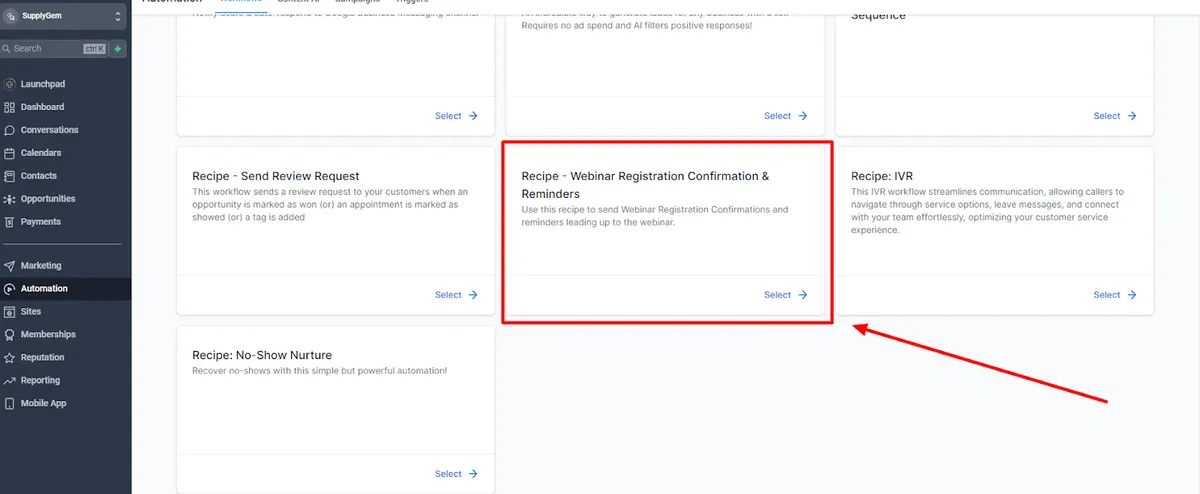
2. Automate Everything with Workflows
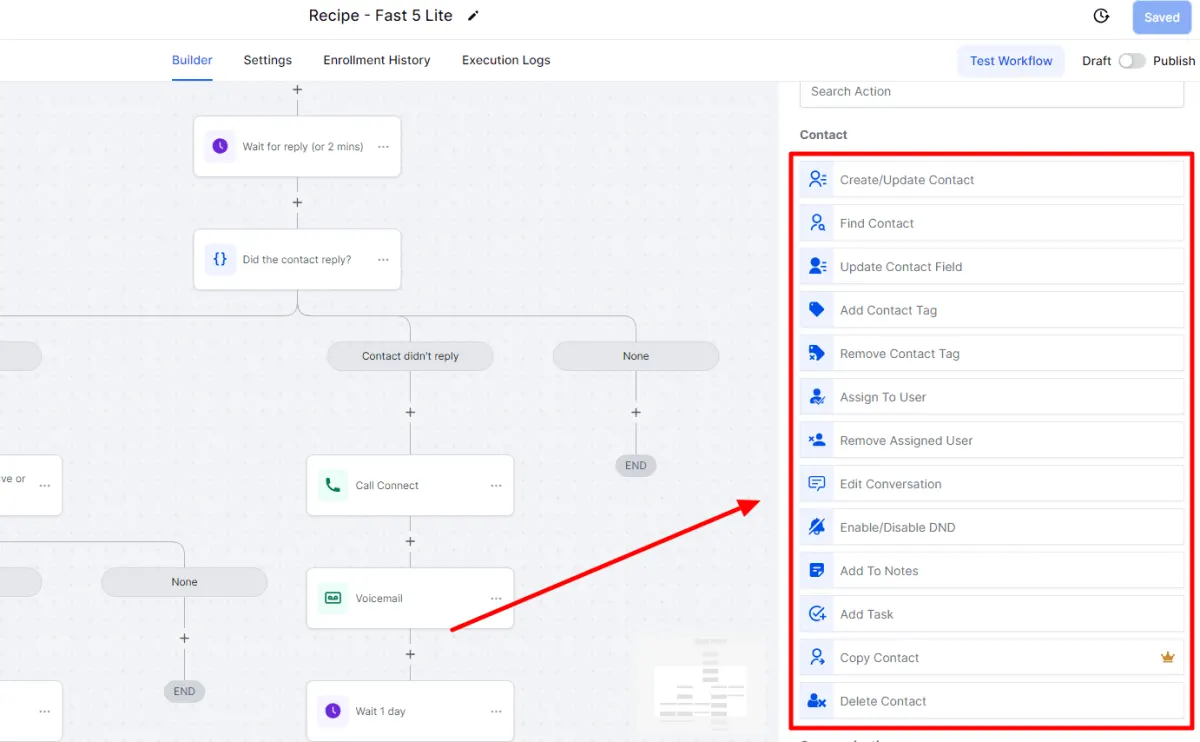
The Workflow Builder is the heart of GoHighLevel. It replaces email platforms, task managers, and manual follow-up.
Here’s a quick build:
Trigger: Appointment booked
Action 1: Send confirmation email
Action 2: Assign task to sales rep
Action 3: Wait 1 day → Send reminder SMS
Want advanced? Add “If/Else” logic or webhook triggers to create decision trees.
3. Learn AI Tools Like a Boss
GoHighLevel AI = time-saver + revenue booster. There are 5 built-in AI tools:
| AI Tool | Use It For... | Pay-Per-Use or Unlimited |
|---|---|---|
| Content AI | Emails, blogs, social posts | $0.09/100 words or $97/mo |
| Conversational AI | Smart chatbot for SMS, web chat, IG | $0.02/message or unlimited |
| Reviews AI | Respond to reviews automatically | $0.08/review or unlimited |
| Workflow AI | Add ChatGPT to workflow automations. | Included in Workflow AI fee |
| Voice AI | Phone call automation | $0.13/min or unlimited |
💡 Rebill AI to clients at a markup using the $497 SaaS Plan
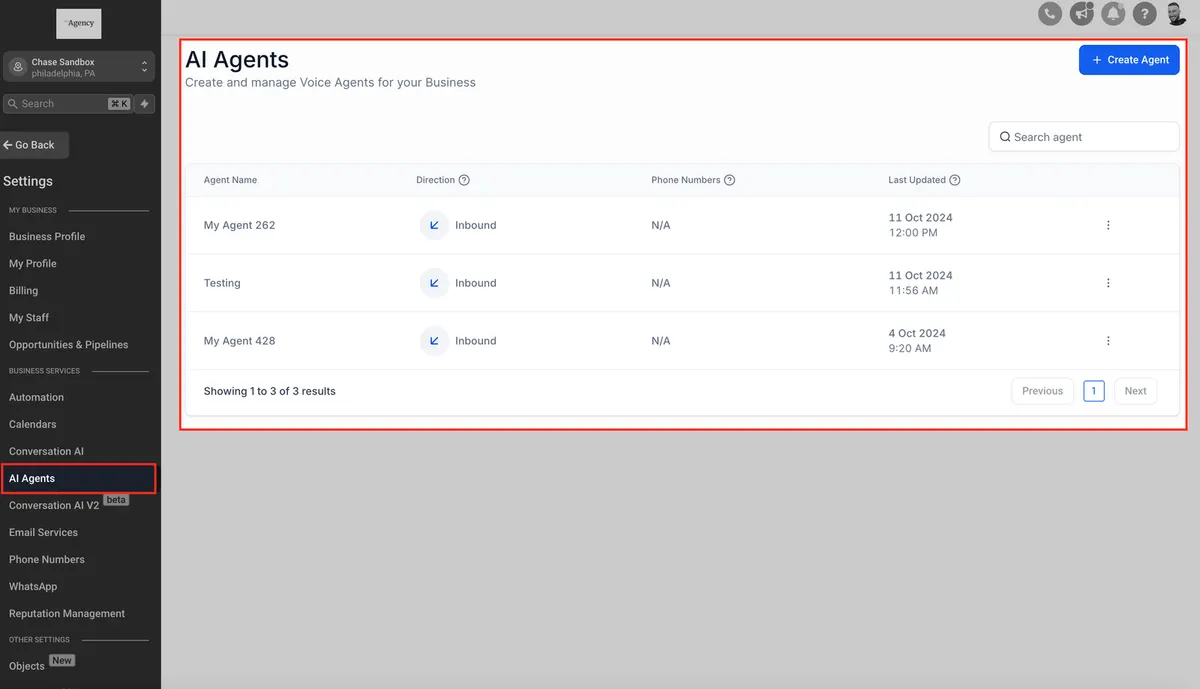
4. Use Conversation AI to Handle FAQs and Bookings
Train your bot to answer support questions or even book calls. You can:
Add Q&A pairs (e.g., “Do you offer free consultations?”).
Insert public URLs as training material.
Test it in Suggestive Mode before letting it run solo.
💬 Supported channels: SMS, Web Chat, Facebook, IG, Google Chat
5. Build White-Labeled SaaS Accounts
Ready to sell HighLevel as your own platform?
Set up SaaS Mode
Use Stripe for payments
Add your logo, domain, and custom plan pricing
Rebill Twilio, AI, and email costs for profit
🚀 This turns you from “user” to SaaS founder. And yes, you keep 100% of the revenue
6. Don’t Skip Pipeline & CRM Training
Your Pipelines track every lead’s journey — from “New Lead” to “Won Deal.”
Drag & drop opportunities between stages
Add automated actions (like assigning to a sales rep)
Use filters to forecast revenue and sales cycle length
Bonus: HighLevel Email, Calendars & Reviews
Want to get started fast?
👉 Read the official SaaS Mode Setup GuideEmail: Use templates and workflows to send personalized sequences.
Calendars: Let clients book appointments with confirmations and payments built-in.
Reputation Management: Automate review requests and replies using Reviews AI
Training Tips for Success
✅ Use the HighLevel Template Library for ready-made workflows, contracts, and emails
✅ Join weekly Zoom calls with support if you get stuck
✅ Watch tutorials on YouTube or check the in-app Help Center
✅ Practice with a test client to build confidence
✅ Create your own onboarding mini-course for clients (and rebill for it!)
Frequently Asked Questions
Is GoHighLevel training beginner-friendly?
Yes! Many training options cater to beginners, breaking down the platform’s features step by step.
How long does it take to become proficient in GoHighLevel?
Most users can grasp the basics within a week or two, but mastering advanced features may take a month or more.
Is training necessary for small business owners?
Absolutely! Even small businesses can benefit from learning how to automate processes and manage leads efficiently.
Can I use GoHighLevel for my own business without clients?
Yes, GoHighLevel is ideal for small business owners managing their own operations and marketing.
How much does GoHighLevel training cost?
Costs vary depending on the format. Free resources are available, while premium courses or coaching sessions can range from $50 to $500.
Conclusion
GoHighLevel isn’t just software—it’s a business engine. With the right training, you’ll spend less time clicking around and more time closing deals, serving clients, and scaling profitably.
Learn it. Automate it. Monetize it. That’s the GoHighLevel way.
Where this leaves you
Skip the build. Import a working GoHighLevel account instead.
Everything above is buildable by hand, and most people never finish. A snapshot is the same setup already made: funnels, pipelines, calendars, the prebuilt website and the automations, written for one industry and wired together before it reaches you.
- Delivered within 24 hours by email
- Install on unlimited sub-accounts you manage
- 20 hours of setup help across 15 days
Keep reading
All articles
Pre-Built A2P Campaign Widget-First Registration flow
If you’ve ever struggled with A2P 10DLC registration, you know how confusing and rejection-prone the process can be. One small
March 13, 20265 min read
Voice Dictation in AI Builder & Assistant
Build Powerful Workflows Just by Speaking Imagine building a complete automation without typing a single word. No clicking through triggers.
February 27, 20264 min read
Conversation AI Auto Follow-Up
The Smart Way to Re-Engage Leads Without Manual Work Leads don’t always ghost you on purpose. Sometimes they get busy.
February 20, 20264 min read