



AI Employee Overview: Automate Smarter with HighLevel’s AI Suite
Imagine hiring a smart digital assistant that never sleeps, answers calls, handles messages, writes content, manages reviews, and even automates
Contents
- Quick Takeaways
- What Is the AI Employee in HighLevel
- What’s Included in the AI Employee Suite
- AI Employee Pricing Table
- How to Enable AI Employee in Your Agency
- Manage AI Employee Access by Sub-Account
- Offer Unlimited Plan to Clients
- Where Clients See the Plan Inside Their Sub-Account
- Use Case Examples
- Conclusion
Imagine hiring a smart digital assistant that never sleeps, answers calls, handles messages, writes content, manages reviews, and even automates workflows. That’s exactly what HighLevel AI Employee does — and it’s built right into your agency dashboard.
Whether you’re managing your own leads or helping clients scale, the AI Employee suite offers AI-powered tools that automate time-consuming work so you can focus on growth.
Quick Takeaways
- AI Employee includes 6 tools: Voice AI, Conversation AI, Reviews AI, Content AI, Funnel AI, and Workflow AI.
- You can offer AI to clients with a pay-per-use or a flat $97/month unlimited plan.
- Agencies can rebill clients with custom pricing and track usage per sub-account.
- Easily enable/disable access to each AI tool for individual client accounts.
- Perfect for agencies offering SaaS, marketing automation, or customer support.
What Is the AI Employee in HighLevel
The AI Employee is a full set of artificial intelligence tools that act like a virtual team. It’s integrated directly into the HighLevel platform, meaning you and your clients can use AI to automate:
Phone calls (Voice AI)
Customer messages (Conversation AI)
Review responses (Reviews AI)
Content creation (Content AI)
Funnel suggestions (Funnel AI)
Workflow decision-making (Workflow AI Assistant)
Each tool is built to save time, reduce labor, and deliver faster service for your business and clients.
What’s Included in the AI Employee Suite
Voice AI (AI Agents)
Handles phone conversations in real-time — books appointments, answers questions, and talks like a human.
- Works great for inbound lead calls or after-hours.
- Use for real estate, healthcare, service businesses, and more.
Conversation AI
A smart chatbot that works on SMS, Facebook, Google Chat, Instagram, and your website.
- Modes: OFF, Suggestive (human reviews answers), and Auto-Pilot (responds automatically).
- You can train it using FAQs or public links.
Reviews AI
A smart chatbot that works on SMS, Facebook, Google Chat, Instagram, and your website.
- Modes: OFF, Suggestive (human reviews answers), and Auto-Pilot (responds automatically).
- You can train it using FAQs or public links.
Content AI
Create blogs, emails, web headlines, social posts, and images — in seconds.
- Great for marketing teams and small businesses.
- Use inside blog builder, email builder, social planner, and funnel pages.
Funnel & Website AI
Smart funnel generator that offers suggestions to build or improve website pages.
Workflow AI Assistant
Create blogs, emails, web headlines, social posts, and images — in seconds.
- Great for marketing teams and small businesses.
- Use inside blog builder, email builder, social planner, and funnel pages.
AI Employee Pricing Table
| AI Feature | Pay-Per-Use Rate | Included in Unlimited Plan ($97/month) |
|---|---|---|
| Voice AI (AI Agents) | $0.13 per minute | ✅ Yes |
| Conversation AI | $0.02 per message | ✅ Yes |
| Reviews AI | $0.08 per review | ✅ Yes |
| Content AI | $0.09 per 1,000 words / $0.06 per image | ✅ Yes |
| Funnel & Website AI | $0.99 per funnel | ✅ Yes |
| Workflow AI Assistant | $0.02 per request | ✅ Yes |
How to Enable AI Employee in Your Agency
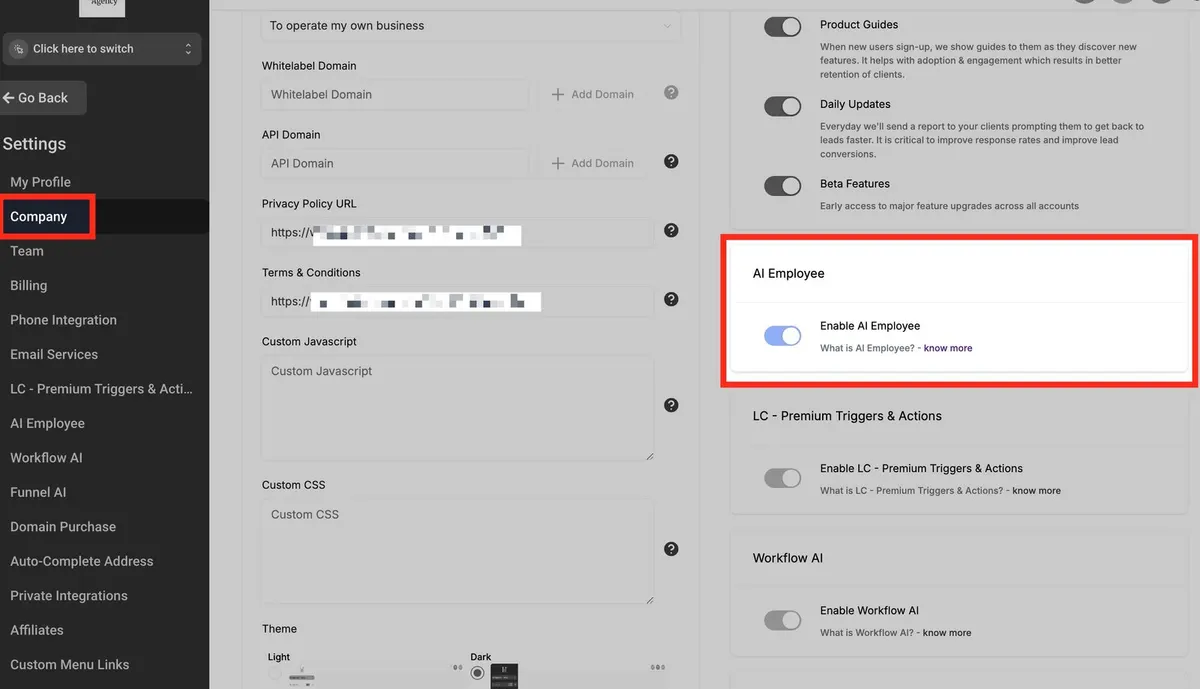
You must be in Agency View to enable AI Employee.
Steps to Enable AI Employee:
- Click the agency switcher at the top left.
- Select “Switch to Agency View.”
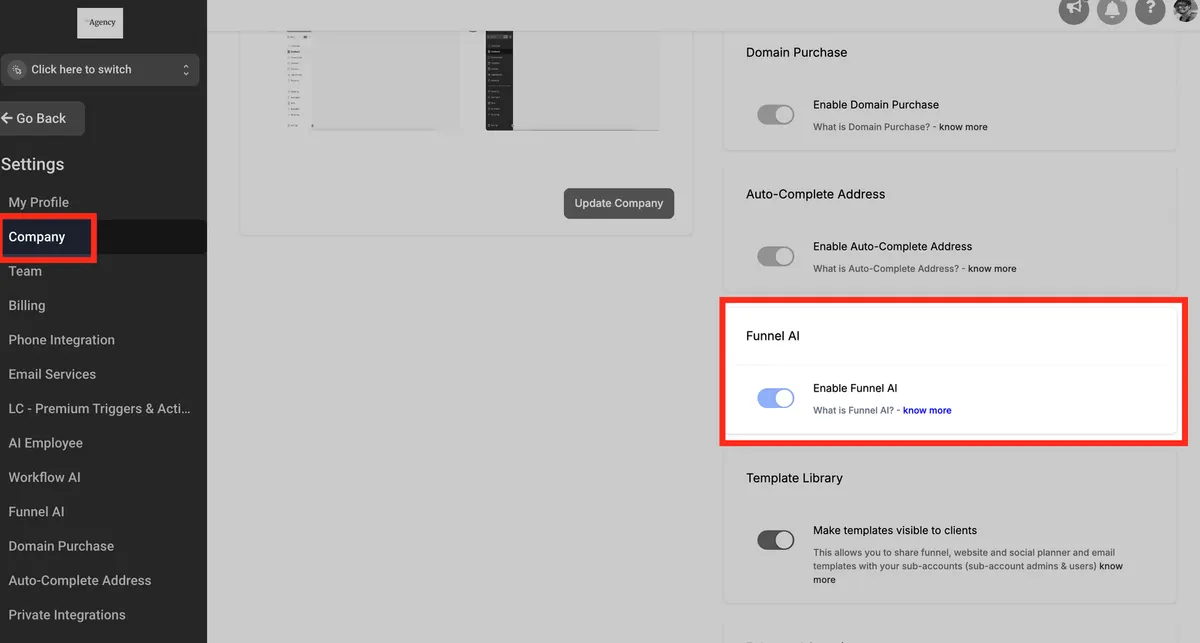
- In the left sidebar, go to Settings > Company.
- Scroll to AI Employee and toggle it ON.
Now, the feature is active across your agency, and you can manage access per sub-account.
Manage AI Employee Access by Sub-Account
To enable/disable access or set custom pricing:
Stay in Agency View.
- Go to Settings > AI Employee.
- You’ll see a list of sub-accounts.
- Use toggles to enable or disable AI tools per account.
- Optionally enable rebilling — set a multiplier like 2.5x (e.g., $2.50 billed per $1 used).
💡 Example: If your client uses $20 in AI, they’ll be billed $50 when rebilled at 2.5x.
Offer Unlimited Plan to Clients
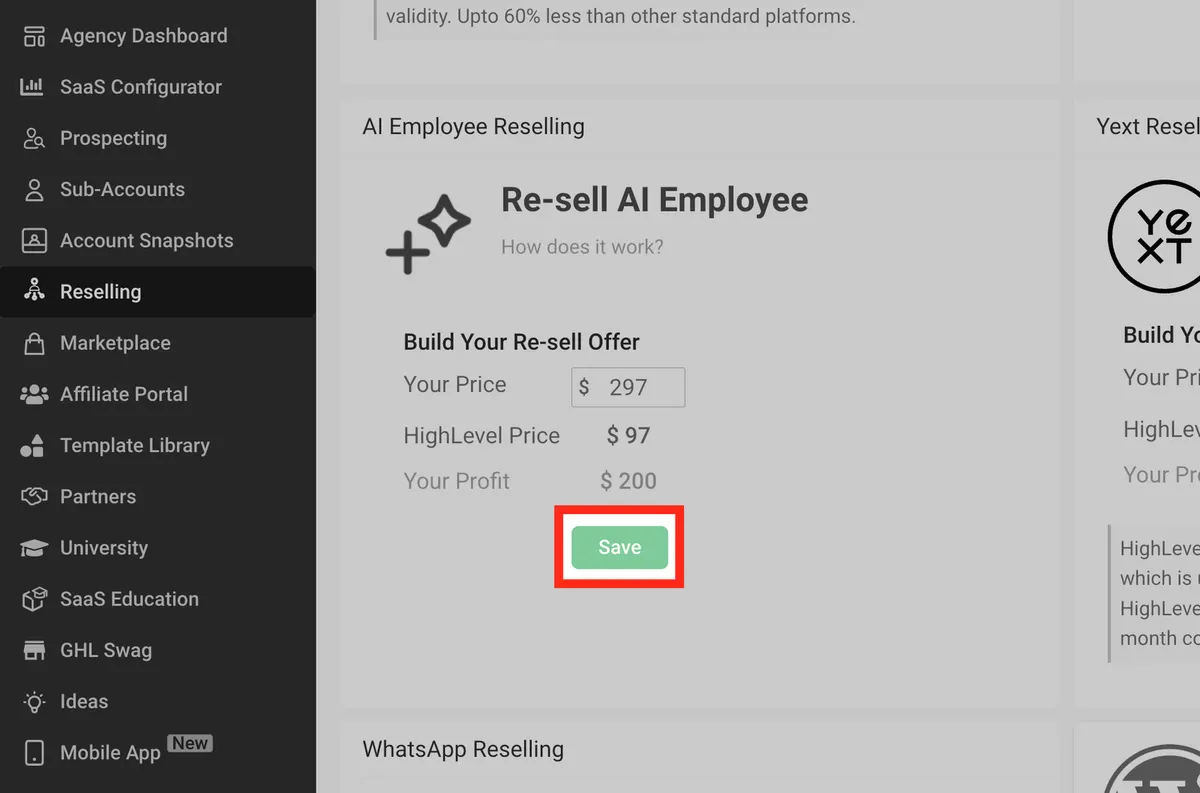
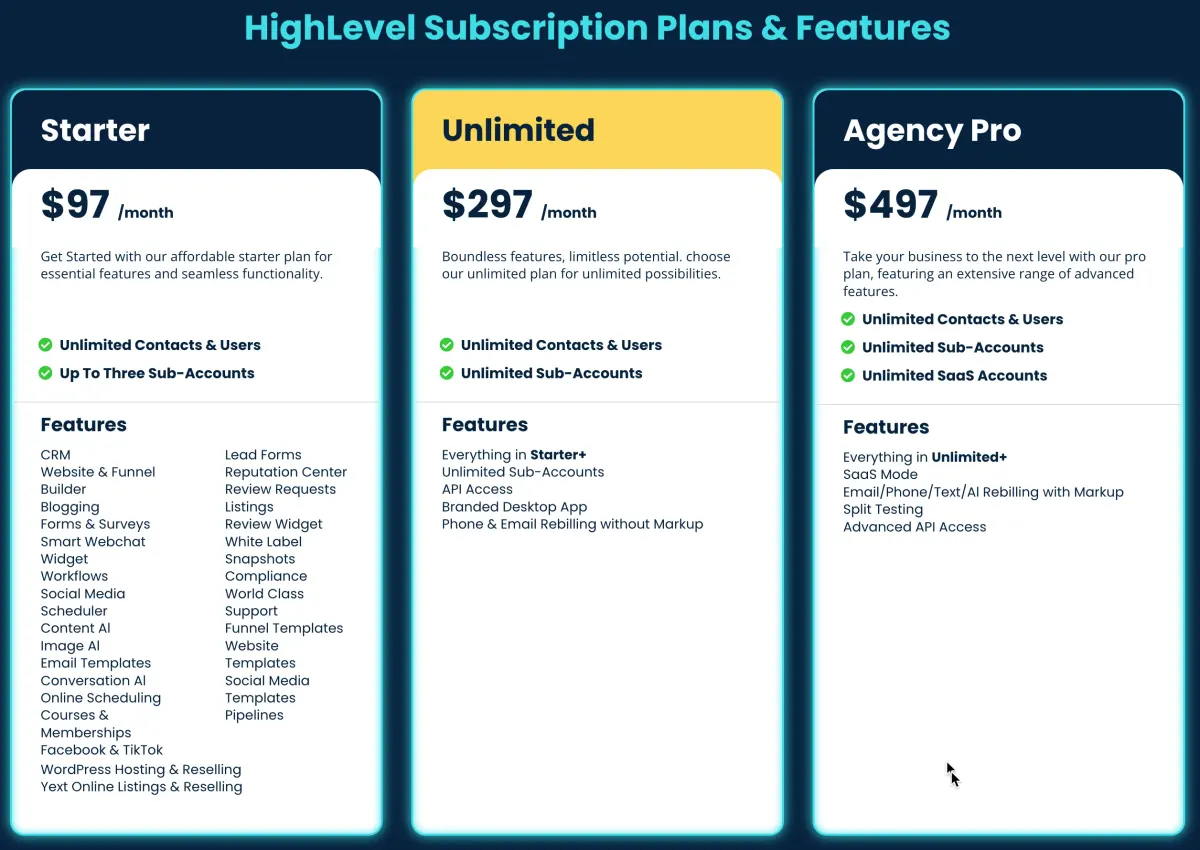
ou can also offer the $97/month Unlimited Plan at your own custom price (e.g., $297/month).
Set Unlimited Plan Pricing:
Go to Reselling tab in Agency View.
Scroll to AI Employee Reselling.
Enter your price in “Your Price” field (e.g., $297).
Hit Save.
Now your client sees your pricing (not HighLevel’s) when they upgrade from usage-based to unlimited.
Where Clients See the Plan Inside Their Sub-Account
Clients will see the Upgrade to AI Employee button in these places:
- Reviews AI (under Reputation > Settings)
- Conversation AI (under Settings)
- Voice AI
- Content AI
For example, in Reviews AI, the client clicks “Upgrade to AI Employee” and sees your custom $297/month offer (if you set it in Agency View).
Use Case Examples
Dental Office uses Voice AI to book patients after hours.
Marketing Agency uses Content AI to generate blogs and social posts weekly.
Auto Shop uses Reviews AI to respond to all Google reviews automatically.
Fitness Trainer uses Conversation AI on IG to book trial sessions.
Conclusion
HighLevel’s AI Employee is one of the most powerful upgrades you can make to your agency or sub-accounts. Whether you’re automating lead follow-up, review management, or content creation — AI saves time, reduces manual labor, and boosts productivity.
It’s easy to set up, flexible to manage, and gives you a major edge in reselling SaaS services.
Quick answers
Frequently asked questions
What is the AI Employee in HighLevel?
It’s a group of AI tools that automate calls, chats, content, reviews, and workflows — available inside your HighLevel dashboard.
How much does it cost?
Either pay-per-use, or $97/month per sub-account for unlimited access.
How do I set a rebilling markup?
Inside Agency Settings > AI Employee, enable rebilling and choose a multiplier like 2.5x.
Can I resell AI Employee?
Yes. You can set your own price and bill clients through the Reselling tab.
Can I limit which clients see or use AI Employee?
Yes. You can toggle it ON or OFF for each sub-account.
Where this leaves you
Skip the build. Import a working GoHighLevel account instead.
Everything above is buildable by hand, and most people never finish. A snapshot is the same setup already made: funnels, pipelines, calendars, the prebuilt website and the automations, written for one industry and wired together before it reaches you.
- Delivered within 24 hours by email
- Install on unlimited sub-accounts you manage
- 20 hours of setup help across 15 days
Keep reading
All articles
GoHighLevel Adds Facebook, Instagram & Voice AI to All-in-One Chat Widget
Communication today happens everywhere. Customers message through Facebook, reply on Instagram, chat via SMS, leave WhatsApp messages, and increasingly rely
December 5, 20255 min read
Generate and Edit Images with Ask AI in GoHighLevel
Creating high-converting visuals shouldn’t require a design degree or expensive software. Whether you’re building landing pages, sending email campaigns, or
July 28, 20255 min read
Mastering Multi-Language Support in HighLevel AI and Platform
If you’re building global client experiences, offering support in just one language is no longer enough. Whether you’re managing a
April 23, 20253 min read