



Twilio Webhook Setup Guide for Incoming Calls and Messages
If you’re using Twilio to manage communications for your business, you’ve likely heard of webhooks. But if the idea of
Contents
If you’re using Twilio to manage communications for your business, you’ve likely heard of webhooks. But if the idea of setting up a webhook for incoming calls and messages sounds intimidating, don’t worry. This guide will walk you through it in simple, beginner-friendly steps.
Whether you want to capture incoming texts or route calls to the right place, Twilio’s webhook system makes it all possible. Best of all, you don’t need to be a developer to get started.
What You’ll Learn
- How Twilio webhooks work for calls and SMS
- Steps to configure webhook URLs in your Twilio console
- How to handle incoming messages and voice calls with real examples
- Ways to secure your webhook endpoints
- Practical testing tools to ensure everything works smoothly
Understanding Twilio Webhooks
Think of a webhook like a doorbell for your app. When someone sends a message or calls your Twilio number, Twilio rings that bell by sending a request (usually in JSON or XML format) to your specified server URL. That URL is your webhook endpoint.
This allows you to:
- Receive real-time updates
- Trigger automatic responses (like auto-replies)
- Log or analyze communication data instantly
Setting Up Webhooks for Incoming Calls
Here’s how to set up a webhook for handling incoming voice calls in Twilio:
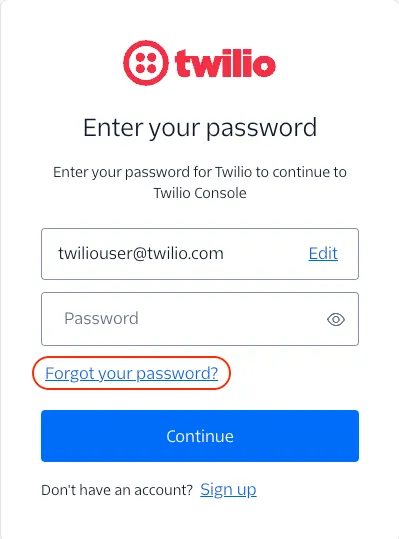
Step 1 Access Your Twilio Console
- Log in to your Twilio Console.
- Go to Phone Numbers under the Super Network section.
- Select the number you want to configure.
Step 2 Configure Voice Settings
Scroll to the Voice & Fax section.
In the A CALL COMES IN field, select Webhook.
Enter the URL where your server handles the incoming request. For example:
https://yourdomain.com/handle-callSelect HTTP POST.
(Optional but recommended) Add a URL for Status Callback URL to get updates like “completed,” “no answer,” etc.
📝 Example TwiML response for a basic greeting:
Setting Up Webhooks for Incoming Messages
You can also set up webhooks to receive incoming text messages (SMS or MMS).
Step 1 Navigate to Messaging Settings
From the same phone number configuration page, scroll to the Messaging section.
Step 2 Enter Your Webhook URL
In the A MESSAGE COMES IN field, choose Webhook.
Enter your endpoint URL. Example:
https://yourdomain.com/receive-messageChoose HTTP POST and save changes.
How to Secure Your Webhook
Twilio provides security features to verify that requests come from them:
- Use HTTPS: Always use a secure endpoint.
- Validate Twilio Signature: Twilio sends a special header (X-Twilio-Signature) with each webhook. Use Twilio’s helper libraries to verify it matches.
- Rate Limiting: Prevent abuse by adding request limits on your endpoint.
Testing Your Webhooks Before Going Live
Don’t launch without testing! Here are a few useful tools:
Ngrok: Expose your local server to the internet securely.
Postman: Simulate Twilio webhook payloads manually.
Twilio’s Console Logs: View recent webhook events, responses, and errors.
Real-World Use Case Example
Say you’re running a real estate agency. You can:
- Set up a webhook to forward incoming calls from new leads to your sales team.
- Use a webhook to log and auto-reply to SMS inquiries about property listings.
- Track call status (answered, missed, voicemail) using the status callback webhook.
Is This Going to Cost Me?
Twilio charges per call or message, not for using webhooks. Here’s a quick pricing breakdown (as of May 2025 for US-based numbers):
| Service | Price |
|---|---|
| Inbound Call (Toll-free) | $0.013 per minute |
| Inbound SMS | $0.0075 per message |
| Outbound SMS | $0.0079 per message |
| Voice Recording | $0.0025 per minute |
➡️ You’re only billed for usage—setting up webhooks is free.
Conclusion
Twilio webhooks are the secret sauce behind real-time messaging and call handling. Once you’ve configured them properly, your app or CRM can instantly react to customer interactions—automatically.
It’s simple, secure, and scalable. Whether you’re managing a high-volume call center or just want an SMS chatbot, webhooks give you control and visibility. And now that you know how to set them up, you’re ready to make the most of your Twilio-powered communication system.
Skip the manual setup and get our done-for-you Webhook + Twilio Snapshot, preconfigured with workflows, triggers, and messaging logic.
Schedule a CallQuick answers
Frequently asked questions
What happens if my webhook server is down?
Twilio will retry the request several times. It’s still recommended to implement fail-safes on your server.
Can I use multiple webhooks for one number?
Can I test if the webhooks work?
No, Twilio only allows one URL per event (e.g., one for incoming calls, one for messages). However, you can create logic on your server to branch requests.
Can I test if the webhooks work?
Yes. Send a test SMS or make a call to your number and check the Conversations tab in GoHighLevel. You should see it show up immediately.
Is it possible to use Twilio Studio instead?
Yes! Twilio Studio offers a no-code workflow builder. But for more customization, webhooks are preferred.
Where this leaves you
Skip the build. Import a working GoHighLevel account instead.
Everything above is buildable by hand, and most people never finish. A snapshot is the same setup already made: funnels, pipelines, calendars, the prebuilt website and the automations, written for one industry and wired together before it reaches you.
- Delivered within 24 hours by email
- Install on unlimited sub-accounts you manage
- 20 hours of setup help across 15 days
Keep reading
All articles
Canva Integration in Media Storage
Design smarter. Move faster. Stop switching tabs. If you’ve ever designed something in Canva, downloaded it, uploaded it into your
February 26, 20265 min read


Integrate Multiple Facebook Pages with AI Auto-Responses in GoHighLevel
Managing several Facebook pages can be overwhelming—especially when customers are flooding your inboxes across multiple brands, locations, or campaigns. But
August 28, 20254 min read

Fix HighLevel SMS Delivery Errors: A Diagnostic Order That Works
SMS not sending in GoHighLevel? Work through the causes in the order that finds the problem fastest: A2P status, number attachment, opt-outs, content and carrier filtering.
May 9, 20256 min read