



Smart Email Scheduling in GoHighLevel
When it comes to email marketing, timing is everything. You may have the perfect message, but if it’s delivered at
Contents
- Key Highlights
- Why Scheduling Emails is Important
- Why timing matters in email campaigns
- Best times to send emails
- How to schedule emails in GoHighLevel
- Use templates to simplify your email process
- How to schedule emails in GoHighLevel
- Test different send times to see what works best
- GoHighLevel email costs
- Conclusion
When it comes to email marketing, timing is everything. You may have the perfect message, but if it’s delivered at the wrong time, chances are it won’t be read.
With GoHighLevel, you can schedule your emails to send exactly when your contacts are most likely to open them. This guide will show you how to use GoHighLevel tools to automate and time your emails effectively, resulting in better engagement, more opens, and improved performance.
Key Highlights
- Choose the best days and times to schedule emails
- Automate emails using GoHighLevel workflows
- Send emails based on each contact’s time zone
- Boost engagement by combining email and SMS
- Test different send times to improve results
- Monitor open rates using built-in analytics
Why Scheduling Emails is Important
If you send emails when people are busy or sleeping, they might never open them. With GoHighLevel, you can automate your emails to send at the right time.
This means:
- More opens ✅
- More clicks ✅
- More replies ✅
Why timing matters in email campaigns
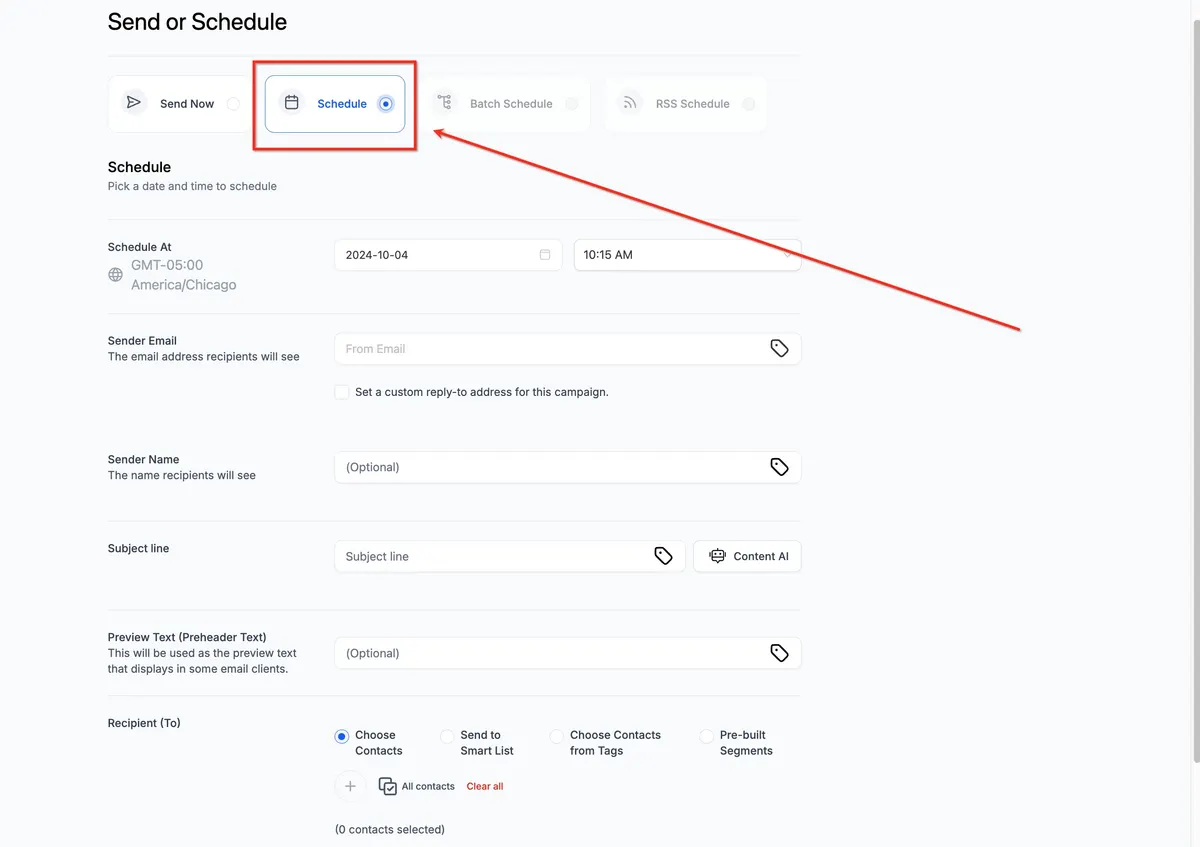
Even the best emails can be overlooked if sent at the wrong time. Automating your email delivery based on your audience’s behavior and time zone is a smart move.
GoHighLevel makes this easy with features like:
- Time-based “Wait” steps
- Custom contact time zones
- Email templates
- Workflow triggers
- Real-time analytics
These tools help ensure your emails reach the right person, at the right time, with the right message.
Best times to send emails
Data shows that certain times work better than others for email open rates. Here’s what experts and users have found:
🗓 Best Days:
- Tuesday
- Wednesday
- Thursday
⏰ Best Time:
- Between 9:00 AM and 11:00 AM (your contact’s local time)
❌ Avoid:
- Early Mondays (busy inboxes)
- Late Fridays (weekend distractions)
To make this work, you can use custom fields like {{contact.timezone}} in your workflows, ensuring emails go out according to each person’s time zone.
How to schedule emails in GoHighLevel
Follow these simple steps to create a scheduled email in GoHighLevel:
Step 1: Build a new workflow
Go to Automations → Workflows
Click + Create New Workflow
Select Start from Scratch
Step 2: Add a trigger
Choose a trigger like Form Submitted, Tag Added, or Appointment Booked
Step 3: Insert a Wait step
Add a “Wait until…” step
Select a specific time and day (e.g., Tuesday at 10:00 AM)
Step 4: Add the email
Use the “Send Email” action
Choose a saved template or write a new message
Add personalization using merge fields (e.g.,
{{contact.first_name}})
Step 5: Activate your workflow
Review all steps and click Publish
Now your emails will be sent automatically at the perfect time!
Use templates to simplify your email process
GoHighLevel lets you create and store email templates so you don’t have to write from scratch every time.
To create a template:
- Go to Marketing → Emails → Templates
- Click + New, design your email, and save it
You can insert templates into workflows or use them for bulk emails, saving time and keeping your messaging consistent.
How to schedule emails in GoHighLevel
Add more impact to your campaigns by following up your emails with SMS messages.
Example Workflow:
Send Email
Wait 2–3 hours
Send SMS:
“Hey {{contact.first_name}}, just checking if you saw the email we sent earlier today. Let us know if you have any questions!”
This two-step approach works especially well for:
Promotions
Appointment reminders
Urgent announcements
Test different send times to see what works best
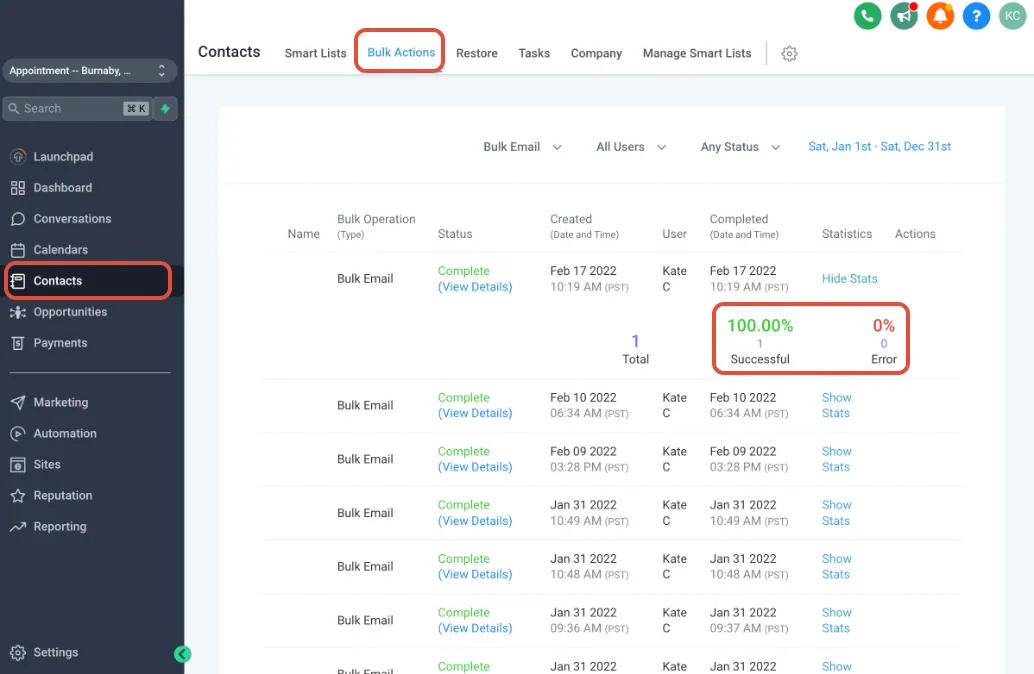
Not sure what time is best? Run a test.
A/B Testing Setup:
Create two similar workflows
In Workflow A, schedule the email for 10:00 AM
In Workflow B, schedule it for 3:00 PM
Track results using GoHighLevel’s Email Analytics
Compare open and click rates to find out which time works better for your audience.
GoHighLevel email costs
GoHighLevel supports sending emails through Mailgun or LeadConnector (LC Email). Here’s what you can expect in terms of cost:
| Feature | Estimated Cost |
|---|---|
| Email Send | ~$0.001 per email |
| Email Templates | Included |
| Email Analytics | Included |
| Email Validation (Optional) | ~$0.005 per check |
| Workflow Automation | Included |
If you’re using the $497 SaaS Plan, you can also rebill email usage to your clients and earn a profit.
Conclusion
Perfectly scheduling your emails in GoHighLevel isn’t just a good idea—it’s a game-changer. With the right timing, you’ll see more people opening, reading, and responding to your messages.
Use these tips to:
Time your emails effectively
Automate campaigns with workflows
Personalize delivery using time zones
Track results and improve over time
By implementing smart email scheduling today, you’ll improve engagement and get better results from every campaign
Quick answers
Frequently asked questions
Can I send emails at my contact’s local time?
Yes! Use the contact’s time zone field and the “Wait Until” action to match local hours.
Can I automate weekly emails like newsletters?
Absolutely. Use recurring workflows or campaigns for newsletters, onboarding, or updates.
Can I pause or change a scheduled email?
Yes. Edit or pause any workflow step at any time from your automation dashboard.
Does GoHighLevel track email performance?
Yes. Go to Marketing → Emails → Analytics to check opens, clicks, and more.
Where this leaves you
Skip the build. Import a working GoHighLevel account instead.
Everything above is buildable by hand, and most people never finish. A snapshot is the same setup already made: funnels, pipelines, calendars, the prebuilt website and the automations, written for one industry and wired together before it reaches you.
- Delivered within 24 hours by email
- Install on unlimited sub-accounts you manage
- 20 hours of setup help across 15 days
Keep reading
All articles
GoHighLevel Email Setup in 2026: Domain, DNS and Warming Done Properly
Set up a dedicated sending domain in GoHighLevel: SPF, DKIM, DMARC, a warming schedule that works, and the mistakes that put your first campaign in spam.
January 8, 20256 min read
Pre-Built A2P Campaign Widget-First Registration flow
If you’ve ever struggled with A2P 10DLC registration, you know how confusing and rejection-prone the process can be. One small
March 13, 20265 min read
Voice Dictation in AI Builder & Assistant
Build Powerful Workflows Just by Speaking Imagine building a complete automation without typing a single word. No clicking through triggers.
February 27, 20264 min read