



AI Assistant for Real Estate Agents in GoHighLevel
Imagine having an assistant who never sleeps, answers property inquiries instantly, and schedules tours without you lifting a finger. Sounds
Contents
- Key Takeaways
- What is an AI Agent?
- Step 1: Enable AI in GoHighLevel
- Step 2: Train Your AI Assistant with Property Details
- Step 3: Automate Conversations with Workflows
- Step 4: Connect Your AI Assistant to Multiple Channels
- Step 5: Monitor AI Performance and Improve Responses
- Benefits of AI Agents for Real Estate
- How Much Does AI in GoHighLevel Cost?
- Conclusion
Imagine having an assistant who never sleeps, answers property inquiries instantly, and schedules tours without you lifting a finger. Sounds great, right? That’s exactly what an AI assistant can do for real estate agents using GoHighLevel (GHL).
With a real estate chatbot, you can automate lead responses, provide instant property details, and even follow up with potential buyers—all while focusing on closing deals.
In this guide, I’ll show you how to create an AI assistant in GoHighLevel that works for your real estate business 24/7.
Key Takeaways
✅ Instantly answer property inquiries via SMS, email, and social media.
✅ Automatically schedule property tours and send confirmations.
✅ Follow up with leads so no potential buyer is forgotten.
✅ Work across multiple platforms like Facebook, Instagram, and Google Business Profile.
✅ Save time and boost conversions with a smart real estate chatbot.
What is an AI Agent?
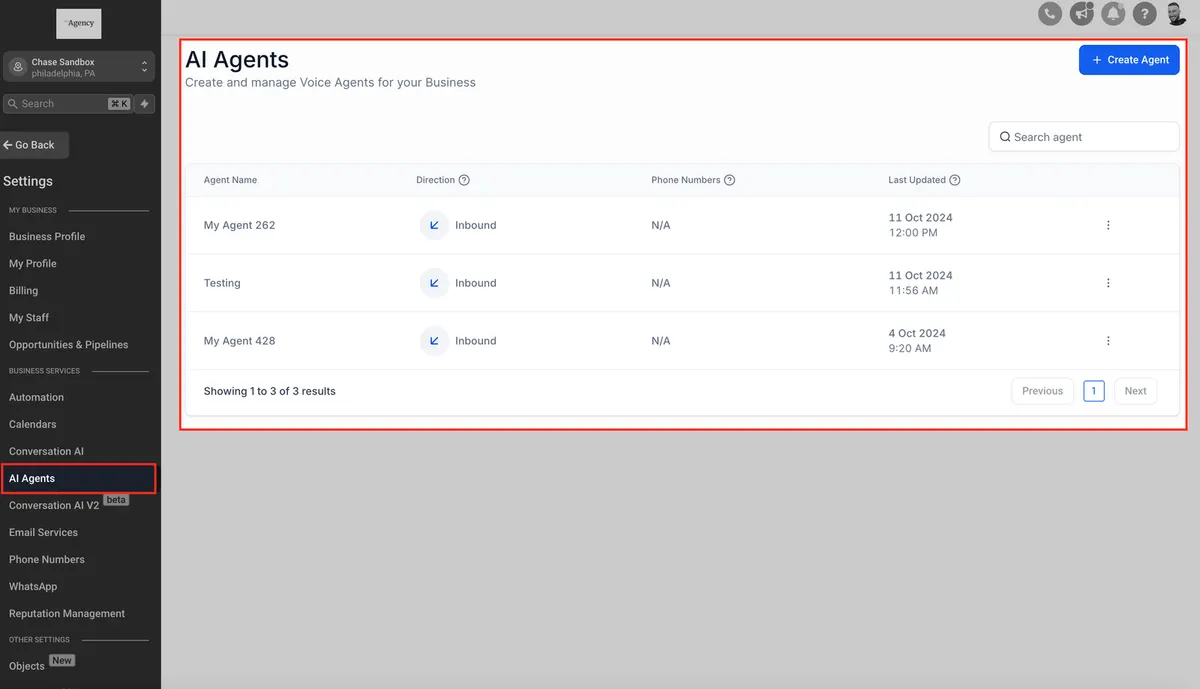
An AI agent is a virtual assistant that automates tasks like answering inquiries, scheduling tours, and following up with leads. It works 24/7 via SMS, email, social media, and websites, ensuring no lead is missed.
Step 1: Enable AI in GoHighLevel
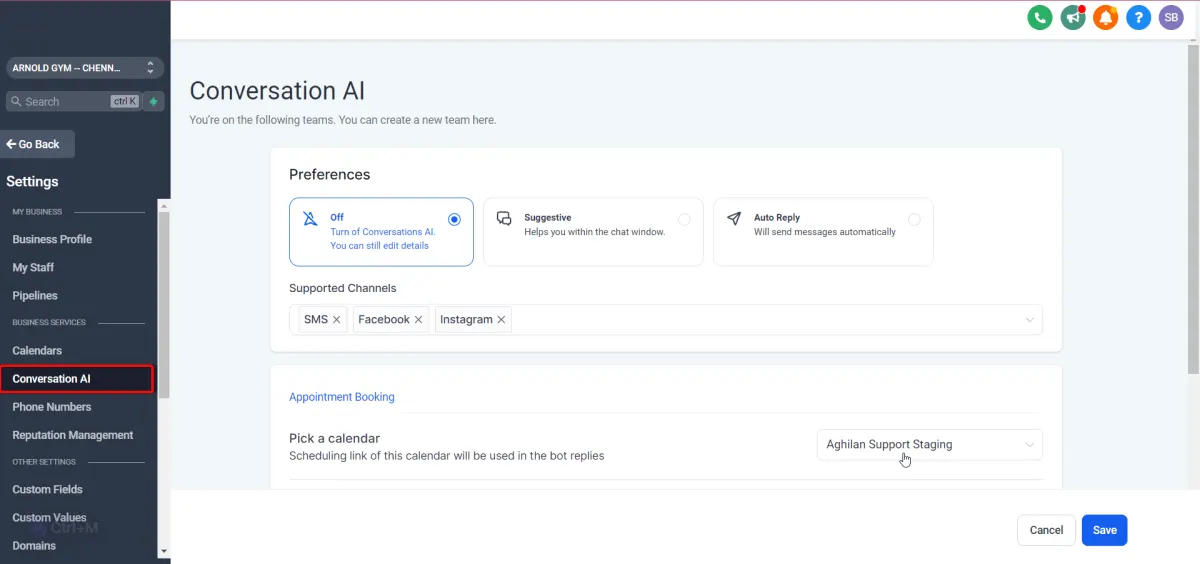
Before setting up your real estate chatbot, you need to turn on AI in your GoHighLevel account.
How to enable AI in GHL
- Log in to GoHighLevel.
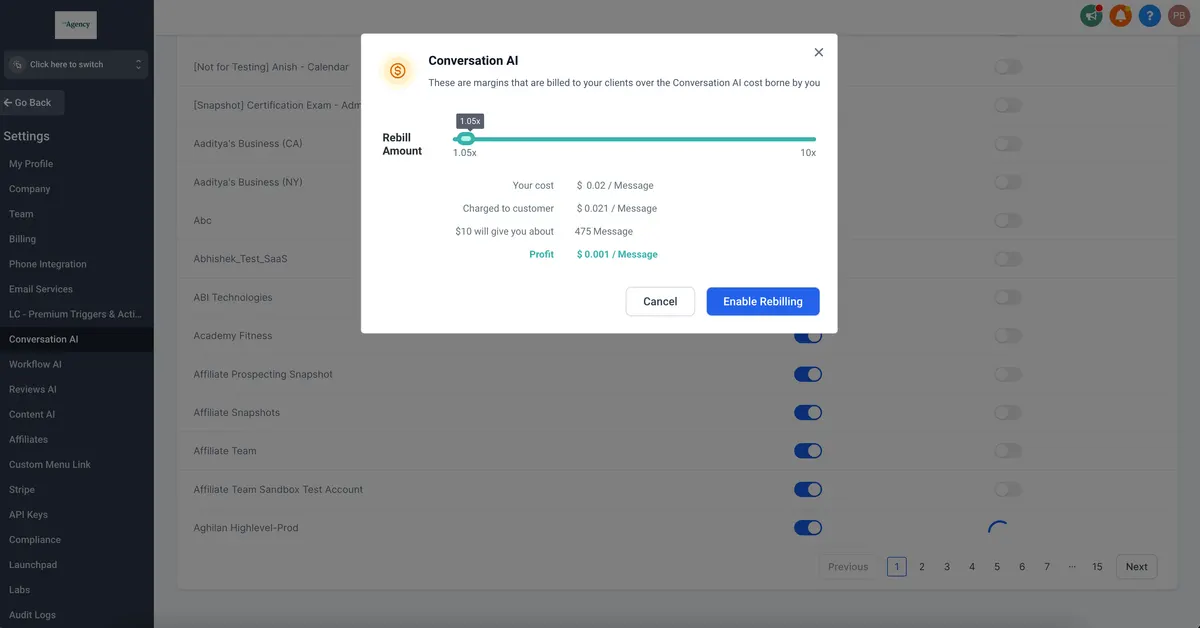
- Go to “Agency Settings”.
- Find “Conversation AI” and switch it ON.
- Accept the terms and save your settings.
Now, your AI assistant is ready to be set up!
Step 2: Train Your AI Assistant with Property Details
To make your AI chatbot effective, you need to train it with real estate information.
Add property listings and FAQs
- Go to “Conversation AI” settings.
- Click on “Bot Training.”
- Enter common buyer questions, such as
“What homes do you have available?”
“How much is 123 Main Street?”
“Can I book a tour?” - Upload property details like location, price, and photos.
Example Chatbot Response
👤 Client: “I’m interested in a house in Miami. What do you have?”
🤖 Real estate chatbot: “We have three listings in Miami. Would you like me to send details via text or email?”
Step 3: Automate Conversations with Workflows
Once your AI assistant is trained, set up automations to handle tasks for you.
Example: Scheduling a Property Tour
- Client asks to see a home.
- AI assistant sends a link to book a tour.
- AI chatbot confirms the appointment and sends directions.
Example: Answering Price Negotiation Questions
- Client asks, “Is the price negotiable?”
- AI replies, “I can check with an agent for you! Would you like a callback?”
- AI logs the inquiry and notifies a real agent.
💡 Pro Tip: Use GHL workflows to send reminders before scheduled appointments.
Step 4: Connect Your AI Assistant to Multiple Channels
Your real estate chatbot can work across:
✅ SMS & Email – Auto-reply to leads instantly.
✅ Facebook & Instagram – Chat with clients on social media.
✅ Google Business Profile – Handle inquiries from Google searches.
✅ Live Chat on Your Website – Provide instant support to visitors.
No matter where a client reaches out, your AI assistant is always ready to respond.
Step 5: Monitor AI Performance and Improve Responses
Check AI Conversations
- Go to “Conversations” in GHL.
- Review chatbot conversations to see if responses are accurate.
- Update AI training based on common questions.
Customize AI Replies
- Change the chatbot’s tone (friendly, professional, casual).
- Add branding (mention your real estate agency name).
- Make AI suggest next steps (“Would you like me to connect you with an agent?”).
Benefits of AI Agents for Real Estate
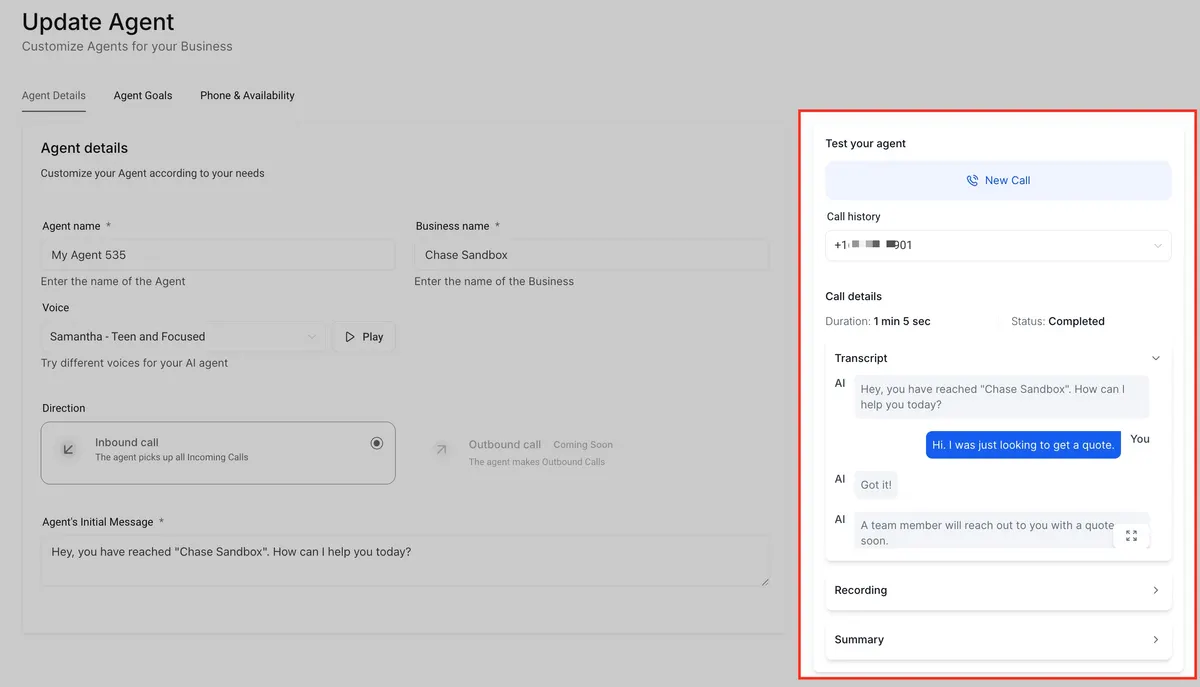
✅ 24/7 Availability – Engages leads instantly, day or night.
✅ Instant Responses – Answers common questions about properties, pricing, and availability.
✅ Easy Tour Scheduling – Automates appointment booking and reminders.
✅ Lead Qualification – Sorts serious buyers from casual inquiries.
✅ Works Everywhere – Available on websites, SMS, social media, and Google.
✅ Saves Time & Money – Reduces manual work so agents can focus on closing deals.
✅ Better Customer Experience – Fast, hassle-free communication keeps clients happy.
🚀 Boost your real estate business with an AI agent today!
How Much Does AI in GoHighLevel Cost?
If you use GoHighLevel, here’s how AI pricing works:
| Feature | Price |
|---|---|
| AI Messages (per message) | $0.02 |
| Unlimited AI Plan | $49/month |
| AI Training | Free |
💡 If you run an agency, you can resell AI services in GHL’s SaaS Mode and make extra income.
Conclusion
Using an AI assistant for real estate in GoHighLevel can help you save time, increase lead conversions, and improve customer service—all while working 24/7.
With this step-by-step guide, you can:
✅ Set up AI to answer real estate questions.
✅ Automate appointment scheduling.
✅ Improve customer interactions effortlessly.
💬 Ready to build your real estate chatbot? Start today with GoHighLevel! 🚀
Quick answers
Frequently asked questions
What is an AI Agent?
An AI agent is a virtual assistant that automates tasks like answering inquiries, scheduling tours, and following up with leads. It works 24/7 via SMS, email, social media, and websites, ensuring no lead is missed.
Can AI handle live calls?
No, but it can answer via text and forward calls to a real person.
Can AI handle multiple properties?
Yes! Just add all your listings to the AI training section.
What if AI doesn’t know the answer?
AI can escalate complex inquiries to a human agent.
Will my chatbot sound robotic?
No! You can customize the chatbot’s responses to sound more natural.
Where this leaves you
Skip the build. Import a working GoHighLevel account instead.
Everything above is buildable by hand, and most people never finish. A snapshot is the same setup already made: funnels, pipelines, calendars, the prebuilt website and the automations, written for one industry and wired together before it reaches you.
- Delivered within 24 hours by email
- Install on unlimited sub-accounts you manage
- 20 hours of setup help across 15 days
Keep reading
All articles
Conversation AI Summary and Transcript Feature Guide
If you’re using Conversation AI to handle customer interactions, you’re already ahead of the game. But what if you could
February 12, 20265 min read
GoHighLevel Voice AI vs Vapi & Air.ai
Why Agencies Are Choosing the All-in-One AI Platform for 2026 With so many AI tools flooding the market in 2026,
February 2, 20264 min read
Video Testimonials Now Live in GoHighLevel
If you’ve been using GoHighLevel for managing customer reviews, you know how important it is to stand out in today’s
November 26, 20256 min read